I have been unable to find any way of disabling this feature (introduced in v4.2), which I’d like to do as I’m finding it rather frustrating. Am I missing a setting somewhere?
With my FP6 set up with Always-on Display and Double-tap to Sleep & Wake all turned on I’ve previously been able to manage my screen display as I wish.
Now, however, I appear not to have a choice. Whenever I close the case the screen turns off, requiring me to enter my PIN when reopening. I frequently don’t want to lock my phone when closing the case when I’m at home.
I’ve opened this as a separate issue as v4.3 is nearly out and this is likely to get lost otherwise.
There was another issue related to this function, but that has been automatically closed after 15 days, and it wasn’t about disabling it.
You must have the original fairphone flip cover? People were saying non original ones did not activate the feature, maybe changing the cover could help?
Yes, it’s the original Fairphone flip case with the magnetic closure that triggers the on / off action.
I’d read those comments in the other topic, but I’m not about to buy another case having bought the dedicated case to protect what I intend to be a long term investment!
There really needs to be a proper way of disabling this, I’m just not sure whether I’m missing something at the moment or if, as I suspect, there is currently no way of doing so.
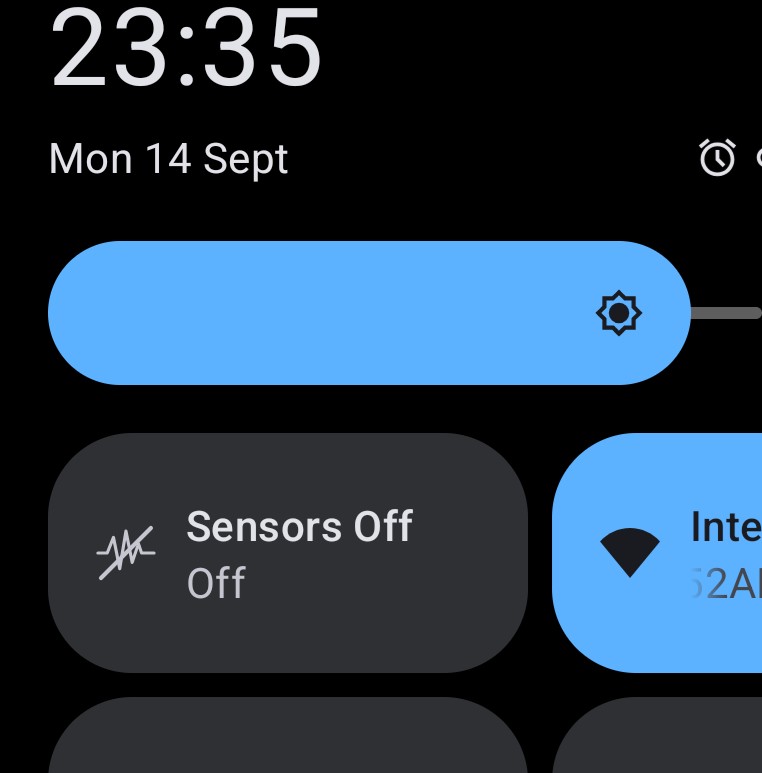
Well, you could try to add ‘sensors off’ tile in shadow menu but that switches all sensors off like microphone, camera, rotation, dimmer so should switch off magnetic sensor. Then you need to switch them back on to take a call so could be inconvenient :
I added it on the top of privacy mike/camera button in my GS6 but find it not practical, still additional option:
 :