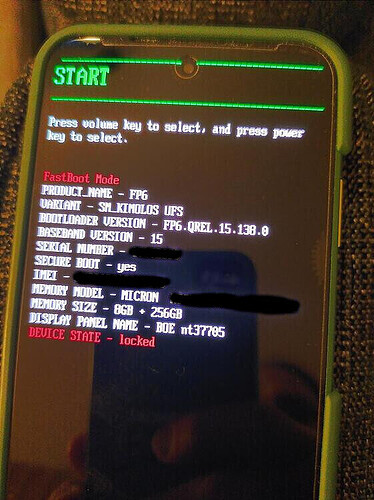
i’m new here an need some help. I tried multiple times to use use the webinstaller. After doing all steps and automaticly downloading the OS it always tells me, I didn’t OEM unlock, while I’m actually in the Bootloader and controlled every step of the installation guid multiple times.
My Bootloader/Build Number: FP5.VT32.C.116.20260903
Android 15, Security Update 05092026
I would be greatful for any suggstions! Thanks in advance!
The tutorial helped me. just the install didn’t go on for a whole while and i had to go to fastbootd mode. then it worked nearly but couldn’t delete some partition. after some back and forth an retrys the e murena logo appeared. had to do another factory reset, then my phone started. right now i’m installing all my apps and hope everything works fine because i feel my installation process didn’t go so smoothly.