Installer /e/os sur fairphone 6+ depuis edge ou opera (windows 11)

Bonjour
J’ai u un fairphone 6+ grâce au programme fidélité de mon opérateur.
Cependant, je n’ai âs u le choix, j’ai u un android(16)
je souhaite donc, avant toute utilisation installer /e/os (là il n’a que du wifi, je n’ai même pas encore mis la carte sim)

J’ai réussi à passer en mode développeur, à dévérouiller l’OEM et a mettre l’USB en transfère de fichier.

Quand je branche mon fairphone au PC, il est bien vu dans le navigateur de fichier.

puis tout ce passe bien au début de la procédure “/e/OS installer” sur edge ou opera

Mon téléphone est bien vu … mais, après avoir choisi mon téléphone, dès que je tente la connexion, je tombe sur ça :

et pas moyen d’aller plus loin … des suggestion ?

1 Like

Are you able to “Display technical details” and copy here?

From Installer | /e/OS documentation

Yes, it only works on Chrome-based web browsers because the /e/OS Installer requires WebUSB support.
An example of a Chrome-based web browser with default WebUSB support is Google Chrome. Support in browsers like Opera or Edge may depend on the version and may require additional configuration.

“flash_FP6_factory.sh” look like linux script … Nothink working with windows ?

I see it more as a front-end script that manage the “factory-common” fastboot script.

anyway, it will be applyed by the recomended “Git-Bash” custom terminal for windows.

The /e/ .ZIP include fastboot binaries for the 3 major computer’s OS’es.

So this is a very early level WebUSB error. Maybe you can check with Opera support whether WebUSB is supported with certain config in your version ?? (WebUSB introduces security concerns … Opera maybe exclude it or it may only be allowed from advanced settings, idk.)

For eosinstaller you might need to use Chrome itself.

@piero’s guide does include this

(Git-bash has a nice feature that allows Windows users to run “as if” Linux.)

or you can cross reference with

Opera / Chrome

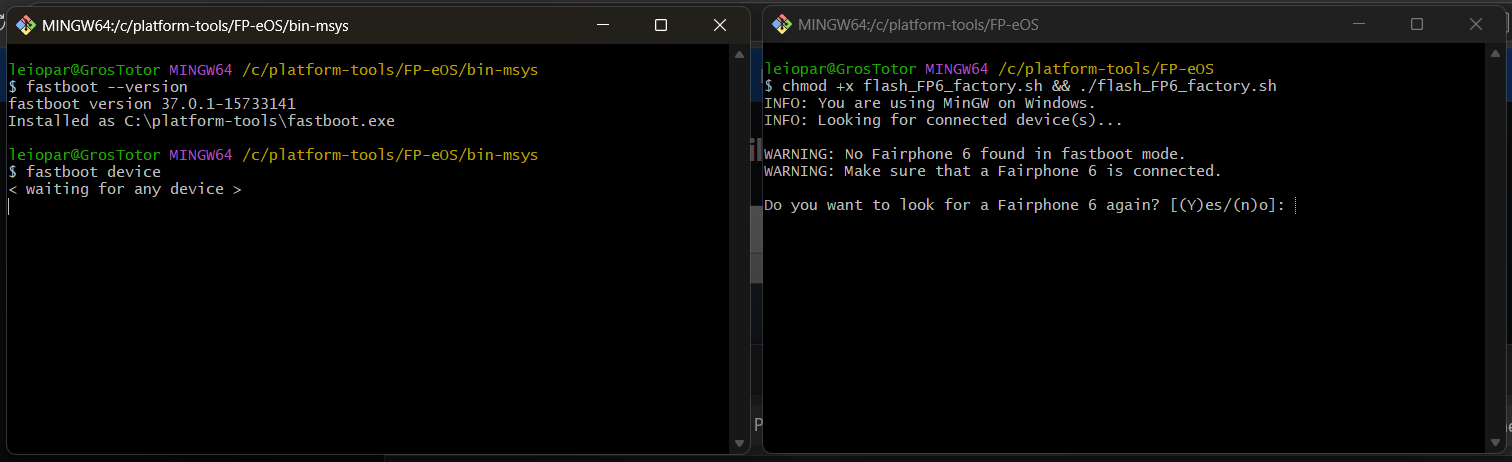
I try the two procedure, but :


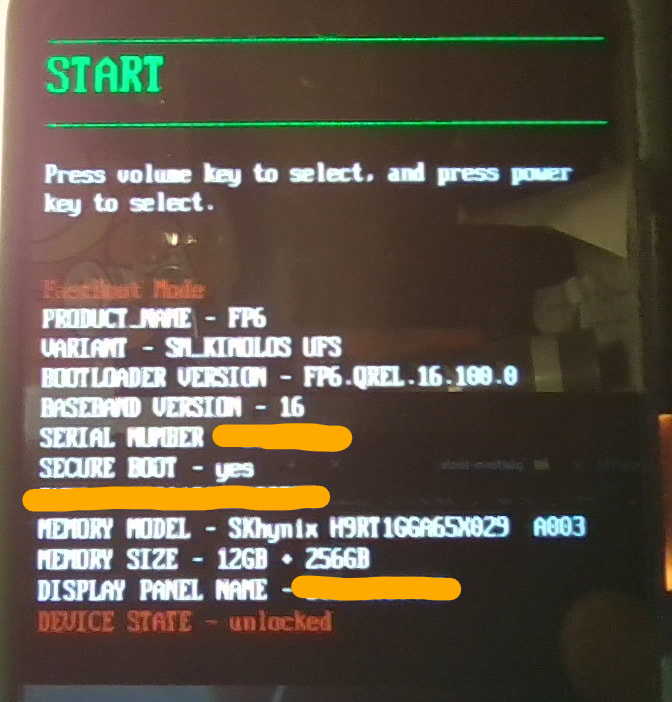
And when my phone is on “bootloader” mode, it whas not see by my computer

because needed drivers are not properly installed


I will try again tomorow

I managed to force the installation of the driver !
So, I was able to move forward, but now I’m stuck here :


you also need to unlock critical partitions by running

Murena is installed !!! :grinning_face:
Now I want to relock all option …


And after two reboot I managed to disable the OEM unlock
Thank you^1000000000 !

Did I forget something ?

Well you show lock_crritical was a success but the secondlock command was not delivered: <waiting for any device> is seen.