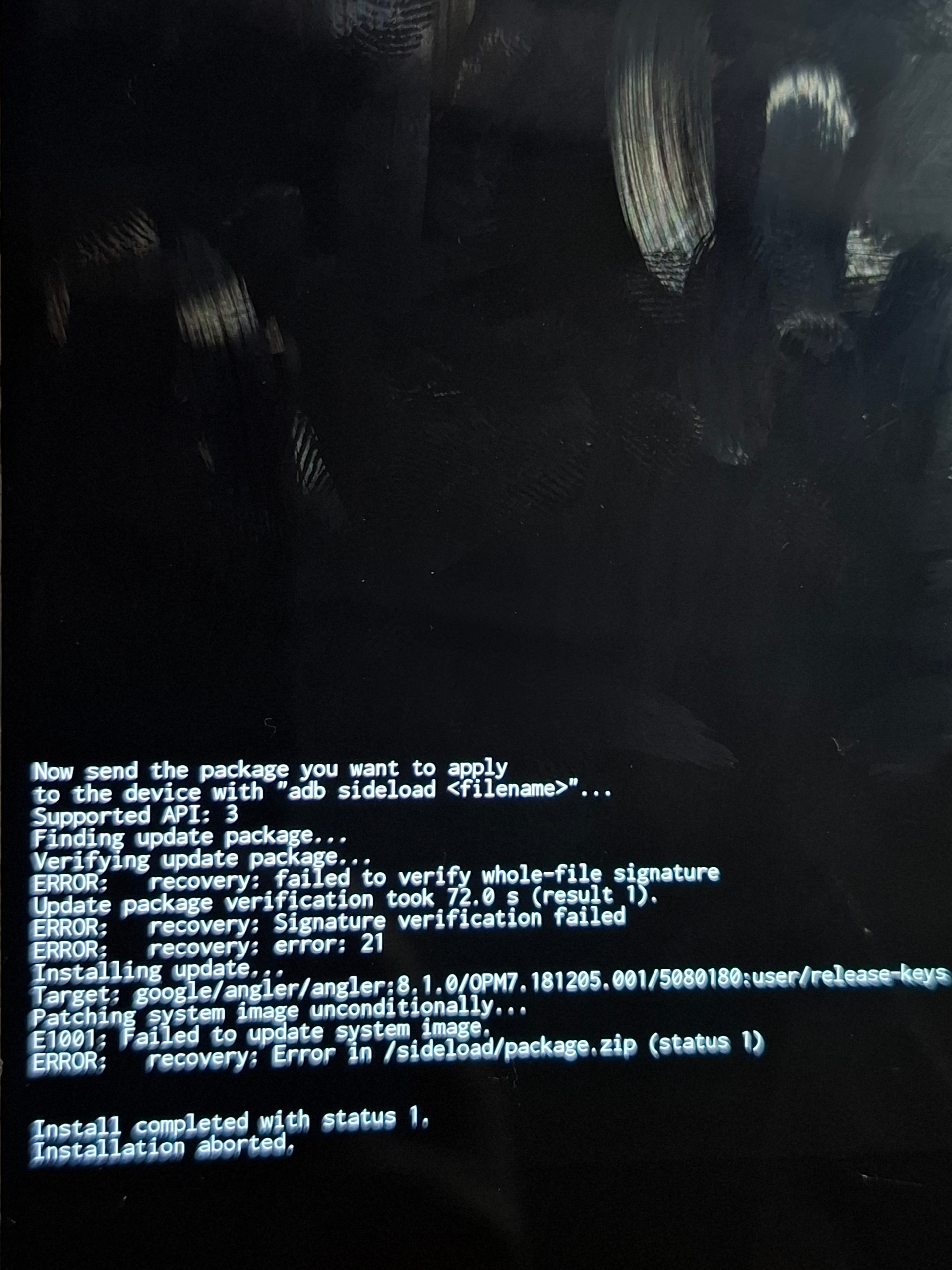
Hello Ronnz98, thank you for always helping the community. I encountered this error during installation; I tried a few different TWRP versions, and I also got the same error when using the Lineage recovery.
I followed all the procedures; I assumed this error was related to the partitions, given that I reinstalled Lineage 22 and everything went fine. I don’t think it’s an issue with how the ROM is built, but rather a lack of partitioned memory space required for the installation.
No, I performed a clean install! I followed the instructions for Lineage 22; I also tried installing another version of e-OS that you had created for the Angler using the same method, and I encountered the same error.
Are you aware that fail to update system image togerther with E 1001 would have a specific meaning in Dynamic partitions?
Please can you confirm whether this is a Super partition device.
Edit having studied the updater script in Ron’s ROM what I would try is simply take the recovery.img (which can be extracted with no special tools from within the ROM) and use this in favour of the Lineage recovery.img.
I downloaded the latest version of TWRP available on the website, performed all the wipes, and created a recovery folder directly within TWRP.
I asked Gemini to put together a brief list of the steps I took:
Create the recovery folder: Go to Advanced > Terminal within TWRP and enter the command mkdir /cache/recovery to create the missing directory that the update script attempts to access.
Fix the file system: Go to Wipe > Advanced Wipe, select the data partition, choose “Change File System,” and confirm that it is correctly formatted as EXT4.
Use ADB Sideload: If you encounter read errors or corruption issues with large .zip files while installing the ROM from an SD card or internal storage, transfer and install the package using the sideload command from your computer.
In my case, the process got stuck at 71% in the command prompt (CMD), but TWRP indicated that it finished successfully without any errors. When I went to start the device, it showed a message saying no system was installed; however, I restarted it anyway, and the system booted up.