As from FP 1 a user, I am a fan of FP. Hoped that everything would become more user friendly …… But just bought Murena ….. and I got stuck…..
I cannot find unlock my phone by pattern?
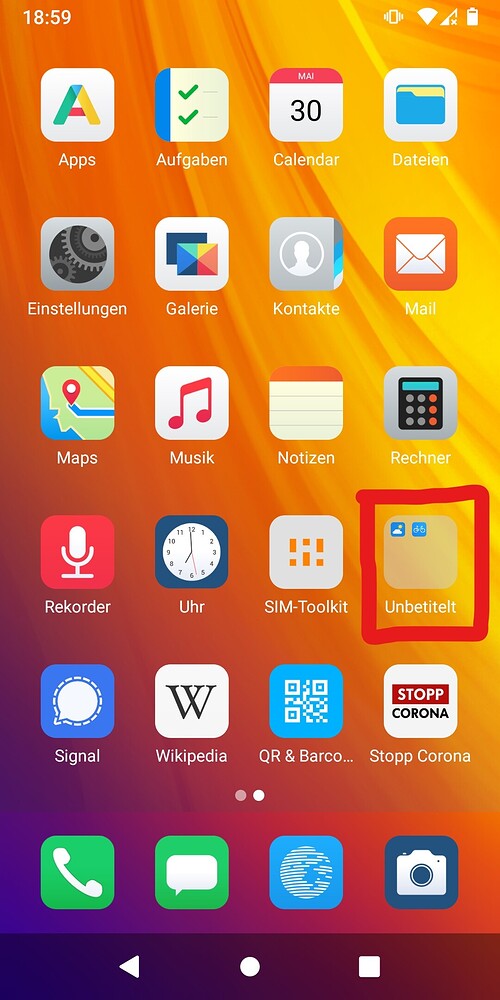
I cannot find a way to place my apps free on my home screens, they are ordened in a vast raster
Which calendar format (export) is compatible to the calendar on Murena?
The biggest disillusion was not being able to migrate easily from my FP3 to gen6 Murena. This is NOT communicated honestly, nor mentioned in the manual!!!
The stock Calendar app alone doesn’t have an import or export function. For this you need an additional app called Calendar Import-Export (from F-Droid). This app works well with simple ICS files. (Perhaps, don’t know, there are even more additional apps doing this.)
Would be good to get some facts about this. What should that mean: “migrate”???
Ah yes, Murena cannot provide the exquisitely perfect services that world company can there is a world of difference in their respective sizes.
So using murena is a tradeoff and we have to adapt our level of expectations even if it is not stated very clearly on the front of their website that Murena cannot provide the quality that Google and Apple and Microsoft got us used to. Yes all products from big American companies are very pleasant and comfortable to use and it is hard to reach their level.
If it can help, here is a full guide to migrate to /e/ OS. It is quite up to date and well done
Don’t get me wrong, I am a fan from the moment we buyed our first FP1. And continue to be that, accepting all differences. But I try to find all features, not wanting to mis one. As I think people are using only 50% of their devices.
(from the parallel thread) it seems the box contained the stockrom manual, creating the expectation of a single step migration.
@eironeia, was the predecessor, the FP3 a regular Google Android Fairphone, or /e/OS already? and if so, what Android major version? (Android 13 or higher?).


 there is a world of difference in their respective sizes.