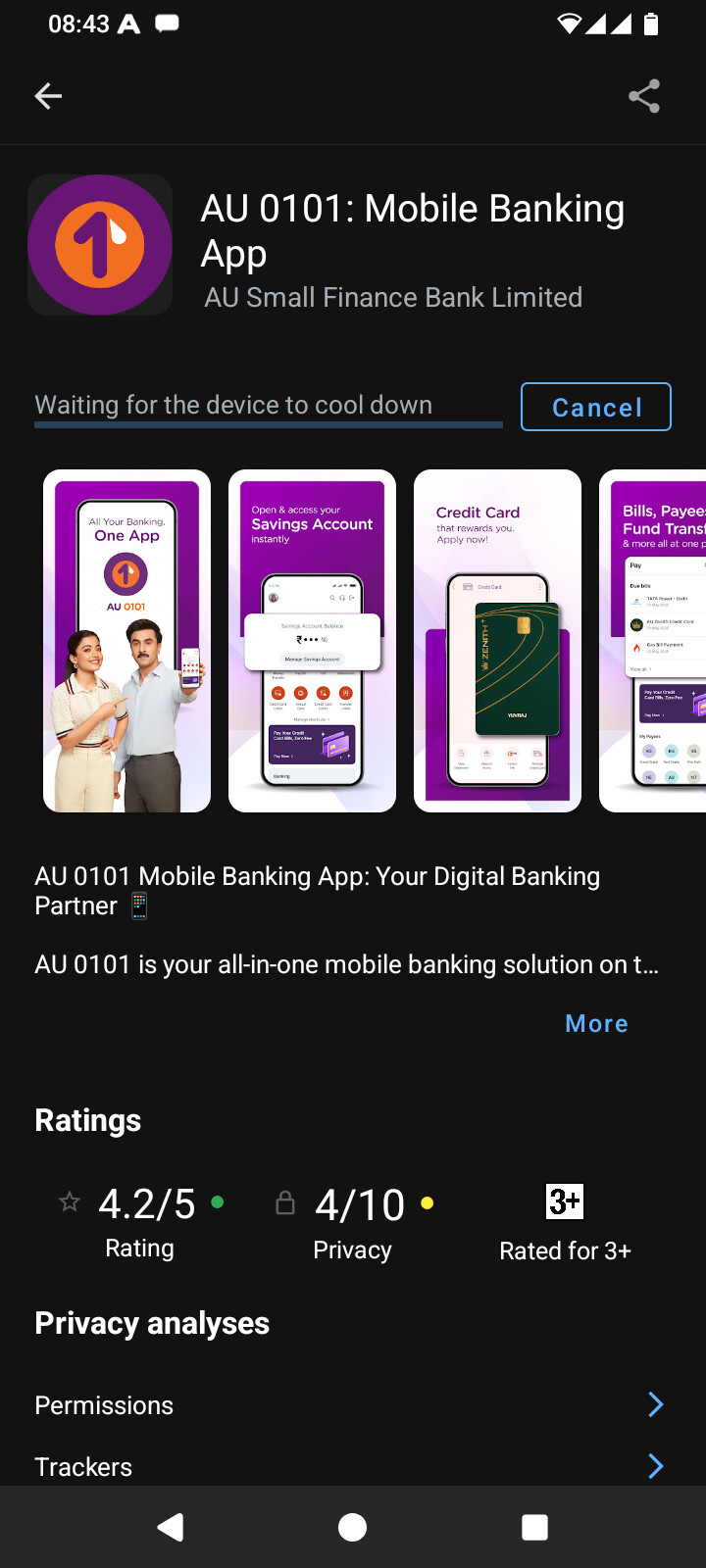
I have been using e os on my moto e7plus for more than a year. After the past few upgrades (possibly from the beginning of 4 series) and persisting after the latest upgrade to 4.3 is an inability of the App Lounge to install / upgrade apps. It is stuck at 0%. After the latest upgrade, it shows ‘waiting for the device to cool down’ as well.
None of deleting the storage and cache of App Lounge, logging in gmail details for the app / device helps. While Aurora is able to update / install, the banking app I use detects that it was not installed from Play Store and doesn’t allow usage.
I also have another phone Zenfone Max Pro 1, which doesn’t have the said problem with App Lounge - the reason why I think it is device specific.
I have flashed two Moto e7 plus (guam) devices for others lately with e-4.2. A haven’t heard of them that the app lounge didn’t work.
But I must say that last year I had a batch of Samsung Galaxy A52s and that on one of them the app lounge did not work, even after several attempts to solve the problem. As far as I could find, there was no difference between the devices.
In the end, I just installed f-droid and through that Aurora store to be able to download apps.
Thanks for your reply. I have installed aurora and apps can be updated through it. My reason for posting the problem was that the banking app updated through Aurora was not allowing to use it after detecting it was not installed from Play Store. I assumed that it would work (as it was working earlier when installed from App Lounge) if installed through App Lounge. Now I find that even in the Asus Max Pro where App Lounge is working, this particular app is throwing the same message. So, I dont think I have any option to use this app in e os.
The fact that it is working in other devices of the same model, I suppose I will have to try factory reset or re-installation if I want App Lounge working in my e7 plus. Wondering if it is worth the trouble.
I really do not think that Factory reset is necessary to clear the logjam in App Lounge. “Something else” is involved. Please check other app-lounge threads.
That “something else” seems different for different users but, in short, the fix may involve repetition of Clear App Lounge data (that is storage) plus waiting for the remote server to forget what it sees as this “problem device”. I had an episode where this took ~8 hours, then returned to working fine.
Edit. 30 minutes is the standard time that App Lounge holds an unrefreshed line.
I had not restarted the phone after clearing the cache. I followed the steps here - clear cache, restart, un-check all update settings, restart and App Lounge is working fine in anonymous mode. The banking app when installed in anonymous mode still complained of “insecure app installation”. When I installed it after adding gmail account details in AppLounge, it started, showed a white screen and then closed, which too was resolved after restarting (after installation of the app).