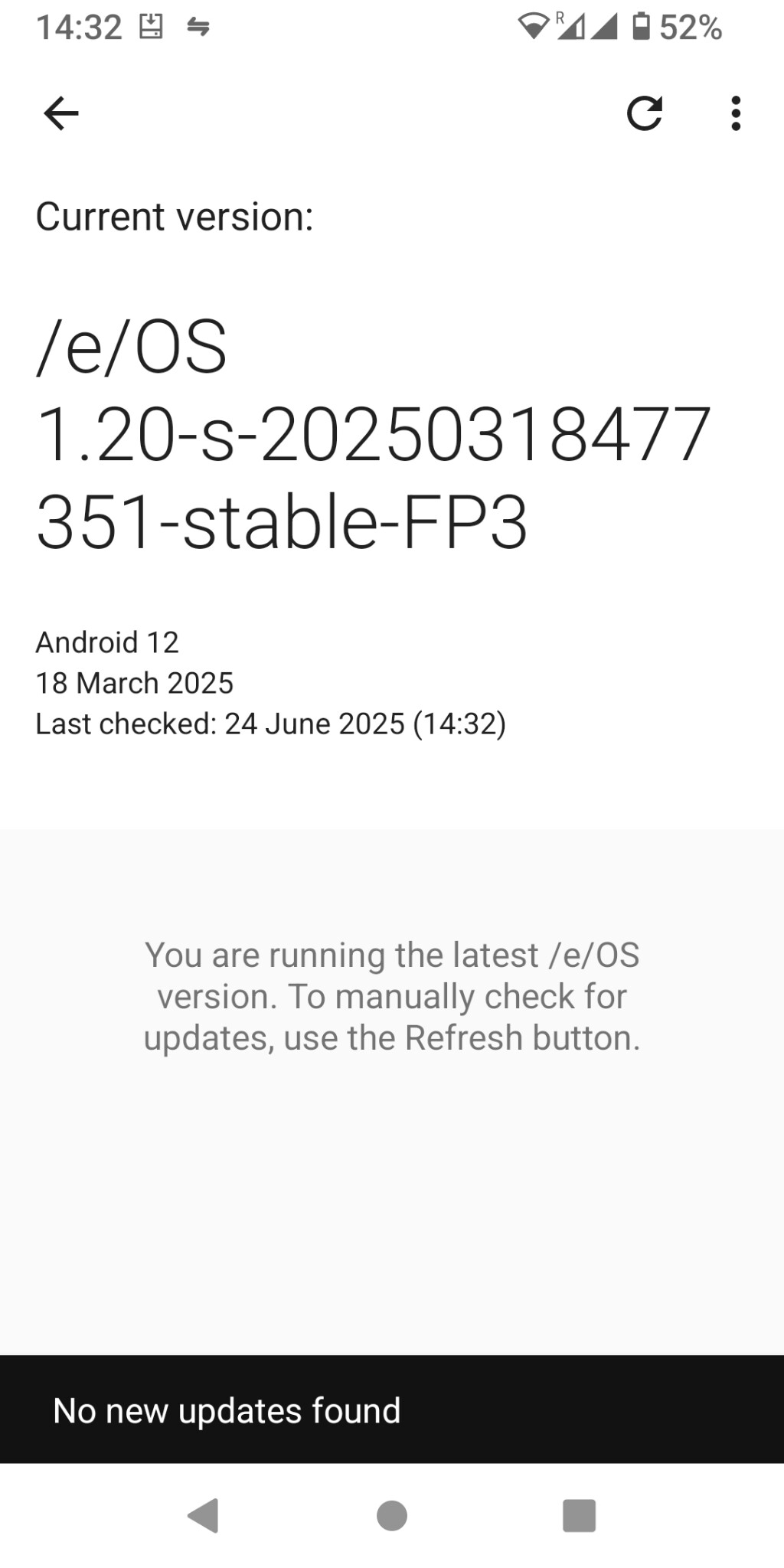
I have just updated to /e/ 1.20-s-20250318477351-stable-FP3, and now several of my apps are crashing. specifically Browser - won’t open at all; Mail - opens, and i can see emails in the inbox but when i click on them the app crashes; and MVGO (public transport app) - i can buy a ticket but not see routes (this could be a separate problem, but it’s happened at the same time immediately after the update). other apps may be affected, i’m not sure.
i’ve looked at other topics to see if anyone else has had the same issue, but anything i can find is from a couple of years ago so earlier versions; or it’s very specific apps that have crashed. the most common solution seems to be clearing the app’s cache, or clearing all app data. i’ve cleared the cache on all the ones that are caching, & also tried clearing all data for Browser, but the problems persist. (i don’t want to clear all data for Mail or MVGO unless it’s really necessary).
I am not an FP3 user so I may be wrong … but I think this was a “special” build to restore the Upgrade path for this device … it seems an old build e-1.2-s but with a more recent build date 2025-03-18.
Android 13 (T) is now available for FP3 and you may find that your System Updater will offer you an OTA Android version upgrade quite soon. [1]
Image
Understandable … are your emails available on murena.io ? As a workaround you might install a second email app, like K-9 Mail or FairEmail.
Clear storage from Mail app will delete your settings (so Mail will have to be set up again) but it will not delete emails which are “still on the server”. Similarly I guess with MVGO your settings and for instance preferences within the app will be deleted … but the app owner’s fundamental data is of course not destroyed so it will be just as you uninstalled and reinstalled the app.
[1] Might be worth trying
Settings > Apps and notifications > See all … apps > 3 dot menu top right > Show system > Updater > Storage & cache > Clear storage
thanks, i will try using another app for Mail. i’m still finding more apps that crash - mostly i can open the app & see some things, then when i try to do anything it crashes.
i’ve tried clearing the app data for the Mail app, reinstalled my settings, & it still quits when i try to open an email (i can see all the emails in the inbox, but if i click to open one, the app quits). so i’ll try a different email app.
i’m having trouble finding where to check for system updates. i did do an update yesterday (which caused this problem of apps crashing), & this update was dated march 2025; i hadn’t been notified about the update so that’s why i hadn’t already done it. i can’t remember but i think in the past i’ve been prompted to do system updates. is there something that i might have accidentally turned off, for notifications of operating system updates? (i get notification of app updates).
This “service” is also known as Updater / System updater.
Please be prepared to hit the Refresh icon more than once or twice.
Plus
Note also that what you are expecting now is an OTA Android Version Upgrade, so the nature of this “transitional” build (my “guess” initially) is likely a partial explanation for the app difficulties.
OK it does require Clear storage … otherwise I suggest it is worth waiting to see what happens over 24 hours.
There is a manual method to apply the Upgrade … it is not part of regular documentation but I can link it later.
Is this a bought from murena.com phone? You might consider the #Customer Contact us page. Only official builds like yours get OTA Android version upgrades, other community build users are advised to Format data for the Upgrade of Android version.
Rather than accept a link and method from a stranger on the internet you might be better advised (as a Customer) to be told the optimum way forward by the Helpdesk.
no it’s a Fairphone 3. i will also look on the forum there - it’s just all happened at a very bad time as i’m on holiday with family, & have just found also that the DB Navigator app crashes if i try to look at a ticket, so it’s a bit stressful!
i’ve just cleared the storage as well & refreshed again & restarted but still not getting any updates. so i may have to try a manual update.
(i’m also getting frequent drop-outs of mobile coverage - calls & sms as well as data - so seriously annoyed with simplytel!)
Sorry, some misunderstanding … I realised it was FP3, but are you saying that it was not originally bought from murena.com but self installed?
These things happen at the worst times …
There is a certain amount of magic with OTA Android version Upgrade so I do not want to mislead you. Please can you share very brief details of how you got to this build at this time.
I guess this is a transitional build which aims to enable the next OTA Upgrade. A full power off and restart might help to bump the Updater. Also please try a restart with a charger connected.
i bought the Fairphone directly from Fairphone, and then installed the /e/ OS on it myself. it’s been perfect for 4 years, & whenever i received notification of an update i did it.
the problem this time has happened when my mobile company changed to 5G last week, and then i had no connection. with some research i discovered that there had been an /e/ update in march that i had not done. so i did this, and also had to manually enter APN settings for the mobile company. after this the mobile connection was all working again … but then as i opened different apps i discovered that many either won’t open at all, or open and quit when i try to do anything.
i’ve done several power off and restarts, i also turn the phone completely off every night.
Thank you … this was the odd thing in my mind. If I am right to assume that this was a transitional build to help users who had missed updates due to the outage I would have expected this to have arisen earlier for you.
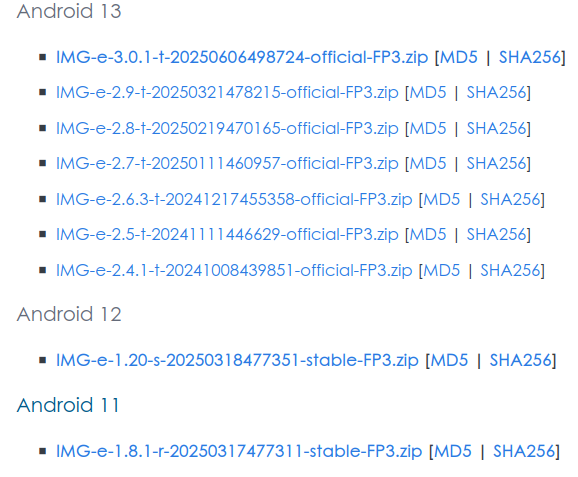
In that case to my mind the natural Upgrade path would be to e-2.4.1-t-20241008439851-official-FP3. This is an
older build 2024-10-08
newer /e/OS version e-2.4.1
Android Upgrade to AOSP 13 (T)
Next to consider, do you have a backup of essentials?
One should not attempt an intervention like this without a backup of essentials and realising the risk that it might not work.
Warning risk of possible failure
These are the links to the OTA_PACKAGE (1.1G) and sha256sum
Do you have a PC available to apply the update by adb sideload ?
This post demonstrated the method under different circumstances to apply the OTA update on certain “broken phones”. Can you sift though that method to see what is required in your case? Feedback for v3.0 - #203 by nicofonk. Please ask if anything is unclear.
There is always the possibility that the Updater will deliver eventually; all my suggestions about restart were simply to bump the Updater following Clear storage in the Updater.
i will do a back-up of tomorrow, & will do the upgrade as soon as i have clear time. if you can give me a link to how to upgrade to e-2.4.1-t-20241008439851-official-FP3 that would be great, otherwise i will have a hunt on the website. thank you!
sorry i see now that there is more in your post, i hadn’t clicked on “warning risk of possible failure” when i looked at the post last night. (i’m trying to deal with this in between all our holiday things ) i will wait until i have a quiet bit of time to back up & have a go.
Hi, I never asked the lock status of your Bootloader. Locked / Unlocked should be displayed on the Bootloader screen.
Before you move to the next step it might be worth recording the dates at
Settings > About phone > Android version > Android security update
Settings > About phone > Android version > Vendor security patch level
ok. the android security update is 5 january 2024, and the vendor security patch level is 5 june 2023.
for the boot loader, i found in the power menu a setting called Advanced restart “when unlocked, include options in the power menu for restarting into recovery or bootloader” - i turned this on & now can see options to restart in system, recovery or bootloader.
It’s frustrating when apps crash right after an update it often points to compatibility issues or leftover cached data. I recommend clearing the app cache or reinstalling to resolve the problem. Developers should also test updates more rigorously to avoid these disruptions.
thanks. i have tried clearing the app cache, & some reinstalled or found different apps. but i still have some (particularly transport ones like DB navigator) that i need to solve. the main issue seems to be that the update i did recently was not the most recent one (see above) so i need to do a manual update. unfortunately i’ve just started a holiday with extended family & have very little concentrated time to do it, so i think i’ll have to wait until they’ve all gone in a couple of weeks before i manage to do it.
hi @aibd, i’ve freed up some time this evening to attempt the upgrade, but confess that i have no idea how to begin. i’ve backed up anything necessary, & downloaded the zip file, & i have my laptop but i don’t know what " apply the update by adb sideload" means. also the second link doesn’t download anything.
i looked at the post you link to & got to step 4, but then there is no link to e-3.0.1 build.
We are already well past #4 in that I selected and linked what I think is a suitable update package for your case.
so … we can say the Download is done.
The sha256sum file will open in a browser. It is used to check the download is “true”. It is good practice to check your download against this checksum. I think you may do best to look for a guide to running the sha256sum check if you wish to perform it. Quite easy to do but a slightly different approach in Windows than Linux.
so now we are at
Install adb on your computer
This is the install of platform-tools. Any problems please tell me if your laptop is Windows or Linux.
The post then goes on to describe how to prepare the phone …
and eventually apply the update which in your case will be