Hi i’m pretty new to installing custom ROMs and I recently bought a FP5 and put LineageOS on it but wanted to change it.
First I reinstalled the stock OS then installed /e/ and locked the bootloader but noticed a bunch of bugs like not being able to put the lock screen as I read on this thread is some sort of partition problem after screwing something up and not being able to install app packages (it says app not installed no matter from where i try to install it).
So I wanted to at least try and revert it back to the stock OS before trying with /e/ again but when I try to enable OEM unlocking the settings app crashes and disables it meaning i’m essentially stuck with a buggy install and cant get rid of it.
I’m aware I probably made some horrible mistake and I fear I might have bricked my phone. Is there another way to unlock the bootloader or to unlock it from somewhere else?
Or at the very least a way to clean every partition on the phone.
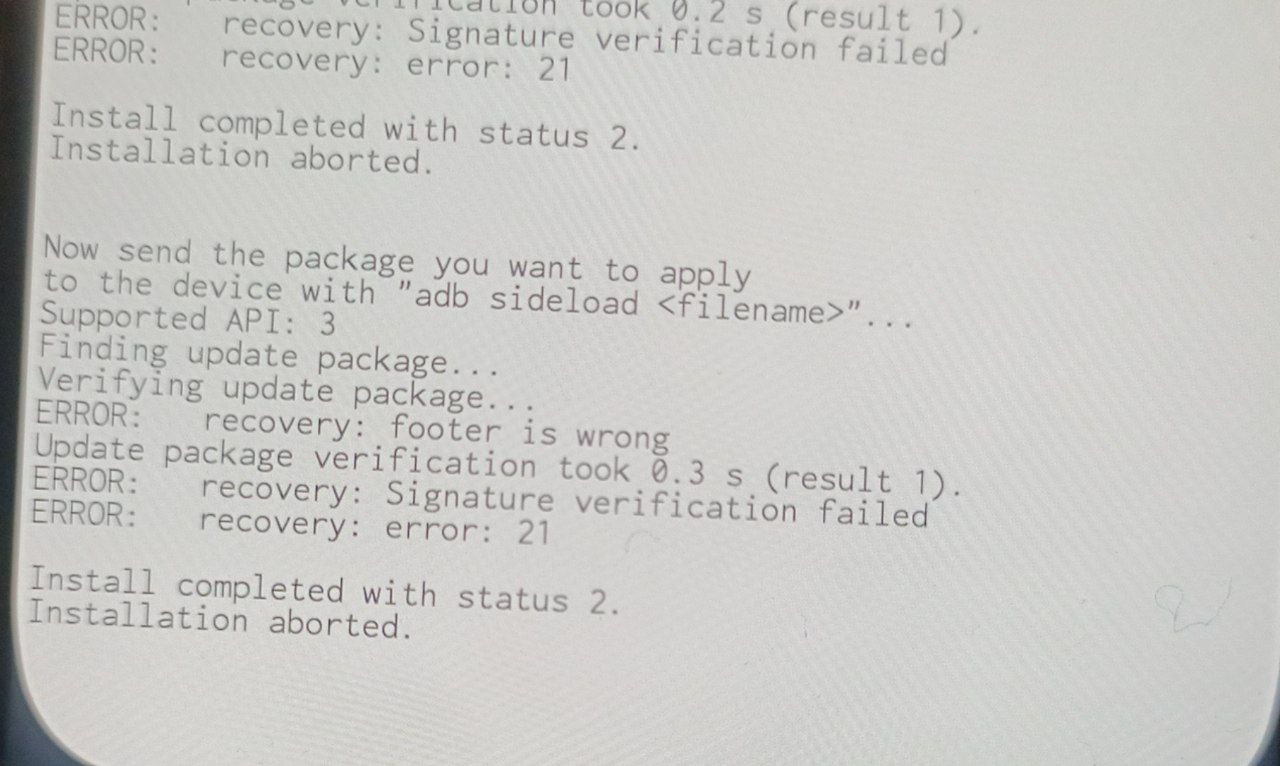
The option is normal and i can even enable it but after I confirm the warning that security features wont work etc. the settings app just crashes and the setting reverts to disabled. Also I’ve already restored it via the recovery and doesnt change anything
yes with an OTA file signed with the same keys than the recovery, it should works,
if not works from recovery, use the android → settings → system updater → local update feature
Nope just tried it unfortunately didn’t change anything. Is there some kind of lower level activation for the OEM unlock or to restore the security partitions that could be causing this problem?
So you went back to Fairphone, but I am not sure the thread you link in your OP includes the form of FRP which we increasingly see in a15. You might review some of our threads with hashtag frp to see if you may fit the problem of any Google account, password or PIN already remaining on the device.
Speculation the problem might appear in slightly different form where Gaps had been installed.
Ofc this doesn’t really help unless your feedback helps with better ideas from here.
Yeah that’s probably what’s causing the problems but without unlocking the bootloader or some way to flash over every partition I can’t really address that.
So far I’ve only found a variable which could theorecially force flash an image but that has a good chance of bricking the phone completely so I want to try it only as a last resort…
Ok I didn’t do enough research but as it stands I either send the phone to the repair center or it’s as good as paperweight.
For everyone that makes supid mistakes like mine this thread on the fairphone community forum can help to some extent as it contains a compendium of many of the ways i tried to unbrick my phone.
To recap the os is in some way corrupted or some security protocol has been enacted and the bootloader is relocked, fastboot flashing get_unlock_ability (or similar) returns 0 unless some shady way is found the only way is to get it unlocked by Fairphone.
I won’t be flagging this as a solution because it’s not, maybe in the meantime that the Fairphone support replies I will try more options and post if I find anything useful.
Hi there,
I have a similar problem than you on my FP6 Android stock. I installed E /OS yesterday so no compatibilty problem with security patch, and I was able to relock the bootloader safely, but as it was not mentionned anywhere in the command line tutorial I didn’t disconnect from google account and now I can’t set any option to lock the screen.
I saw that I needed to go back on Android but as you, impossible to enable OEM option from Murena OS, it just may settings crash. So I can’t roll back.
As I said I am on FP6 with last official e OS build, every other things seems to work properly.
Any known solutions ? Can it be fixed by future uptade ?
Hi,
you have essentially the same problem as me the security partition of the previous OS (with fingerprint, lock screen), or in your case the security system put in place by google to protect the phone from manomission prevents you from doing anything. As I stated in the previous reply unfortunately untill the EDL for my and your phone get leaked (which is unlikely at least for the next couple of years) your only option is to open a ticket on the official Fairphone site and send it to their repair center.
It’s already been 2 weeks since I opened mine and they’ve yet to respond… and their AI assistant is pretty useless and I cant seem to be able to talk to a real person even during the 10-12am window they have in place. I hope that you too can get it resolved as soon as possible and I’m sorry I’m of no help.
I bought mine from a reseller and I bricked my first one due to security patch and lack of knowledge (and informations). I wanted to do a ticket but they redirect me to the reseller (no choice) and they were knowing nothing. 2 weeks after they gave me my money back and I bought a new one. I bought a repairable and ethic smartphone and they can’t manage minor software problems… omg..
And Piero, the phone is not brick (the first one was ^^), everything is working, just can’t use any option to lockscreen. It’s a bit “unbelievable” to be blocked by old option when you change OS. I hope they will be able to manage it with an update ^^ I also posted on Faiphone community forum, so let’s see.
Thanks to both of you