seems /e/OS works on something to provide this from the get go - if you search the forum and sort by recently there are some relevant posts. I’d probably just wait
I read about it somewhere here in the forum, I believe they’re working on something fully functional for the upcoming major revision next month. I’d see how that pans out.
It’s a fairly critical function for me as well so I’m glad it’s in the pipeline.
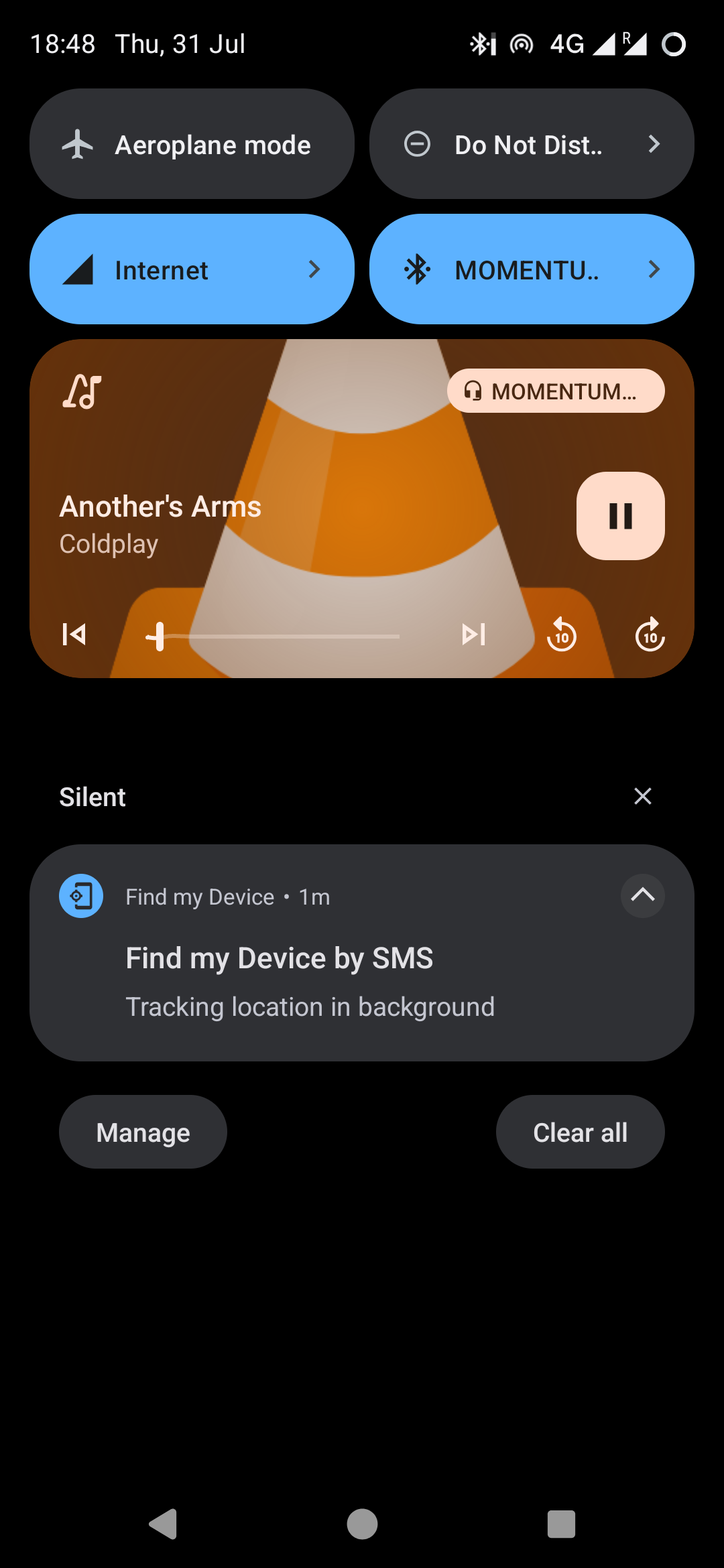
I’m also facing this issue that “Find my Device” is not working for me. I’ve successfully configured the service, but as soon as I send the secret via SMS to my device, no location is sent back. However, I can confirm that “something” happens, because as soon as the SMS with the secret arrives, the following message pops up:
I configured the code for getting the location of my FP5, then tested it sending the code via SMS from another smartphone.
I received the “calling” SMS with the code and a notification appeared on my FP5 with the message “Background localzation…”. This notification never close automatically, and the SMS with localization info is never sent back.
I checked the code many times.
I checked the active state of geolocalization feature.
I also have another smartphone (Google Pixel 6a) with /e/OS 3.0.1, so I did same tests with it, but it gave me no problem and sent me back the localization SMS.
Before I activated FMD I felt more secure with limiting SMS sending by any App to manual confirmation. With FMD I needed to change the SMS limitation to 5 per minute. After that the location is sent automatically.
You can search the option “SMS limitation” and set a value. Maybe it works for you.
With the Xiaomi Redmi Note 10 Pro phone, the Find My Device app returns the code sent from the other device instead of the coordinates.
Of course, location data is enabled, fake geolocation is turned off, and for example the Maps app works perfectly. FMD does not work—that is, it doesn’t function as it should.
I updated the system from 3.1.1 to 3.1.4, but the Find My Device app has become even more buggy. Now it doesn’t even send the code back to the sender’s device. Instead, the code arrives as a plain SMS, and the phone plays a notification sound when the SMS is received. Meanwhile, the text “Find my Device by SMS Tracking location in background” appears on the screen.
Is there already a solution for this problem? It seems I’m not the only one for whom this isn’t working.
I also noticed that in the Location Settings, where you can normally see which apps have recently accessed location—such as Maps or BlissWeather—the Find My Device entry doesn’t appear at all, even though I would expect it to. I suspect the issue might be that FMD doesn’t have access to location, and there’s no setting that lets me grant location permission to that app.