I have been surprised to have noticed a pretty erratic battery consumption: several percent lost at night when the phone is out; and at day time more than in the past months, although I have only had my phone for one year (even if the battery is older than that).
My comparison is not with /e/OS version 4.3-a16-20260917677552-official-FP4, which I had for too short a time (as the corrective 4.3.1-a16 came soon enough), but with /e/OS version 4.2-a14-20260814662910-official-FP4 which I had the longest.
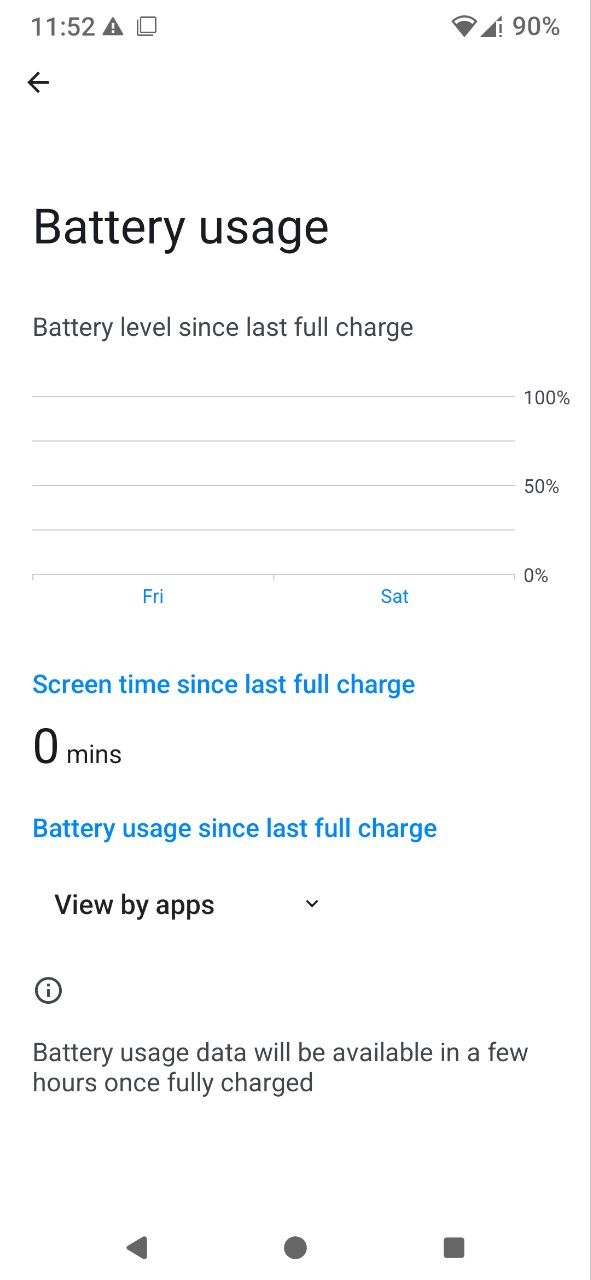
Looking for information as to which could be the culprit, I went to the settings page on battery usage, and found this:
I have the same problem since 4.3 and 4.3.1 on my FP4 with a very recent battery. There isn’t any one app in particular that seems to be draining the battery more. However, since the update, my phone’s battery goes from 100% to 30% in just a few hours, whereas it used to take a whole day to drop that much.
Yes, apparently the display began working again yesterday afternoon, and watching closely I was able to identify one or two apps that were conspicuous and where I changed settings (actually background settings) (have to see if expected app behaviour is thus changed).
I’ll of course also have to observe if consumption is more in keeping with what it was in the time before /e/OS 4.3.1
Well, first feedback is very bad: I took my phone just a few minutes ago to realise that, within a night it lost 37 percent charge!
There is definitely something weird going on here!
The phone was just on as I did not switch it off on Monday night, which happens every once in a while.
But Tuesday morning was the first time I noticed such a big difference with the evening before. When I did forget to switch it off, never was there such a big fall - actually for me it was usual not to worry, because then my FP4 loses 2% (worst case 3%) at the most.
I haven’t changed any single one parameter that was already set.
The only change that I made was to install Goregram.
And the settings of this app I took under scrutiny on Sunday after the battery consumption display started displaying again.
I suppressed all Goregram notifications.
Edit: written yesterday evening, posted this morning.
I tell it once more: which apps are on top of the battery consumption list?
The list is in the global Settings app, under Battery, Battery usage. There’s an ordered list with the most consuming apps. When the accu is almost empty this list contains representative data.
i have the same, i think since i updated to /e/OS 4.3.1 on my FP4. When I look to the battery use, the System-apps at the bottom of the list shows 64%.
before i could do 1,5 - 2 days with one charge, but now 100% charge at 10 pm and it is at 2% at 7am (9 hours), without using it. When i use it, battery drains faster.
Goregram is very much under control (it was at 44% on Sunday, before I suppressed notifications).
But still consumption is higher than say three weeks ago, where with a similar pattern of use, a battery charge would last four days; now it’s only three days.
I will experiment not loading it now, and leaving it on.
I will see tomorrow morning what stand it has…
Interesting. But also strange. Probably App Lounge hangs indeed somehow in background. Good is that all other apps including Browser and Mail are unobtrusive.
I would suggest you to
go into the global Settings app,
Apps,
search App Lounge there and tap on it,
tap on Force stop,
then go into the Storage and cache section,
and tap on Clear cache.
And then watch the situation for a day. If this doesn’t help do the same again, but in the last step
tap on Clear storage
This should reset the entire App Lounge app to virgin settings.
This can be the result for instance of an endless loop inside the code. The app enters a loop again and again and doesn’t come to an end because a condition which should stop the loop does never happen. But that’s just a speculation.
Related to App Lounge you must also see: at least a part of App Lounge will probably always run in background because it looks for updates from time to time. You have a setting there in App Lounge which is mostly ON. If you decide that you manually check for updates you can switch this OFF.