Fp6 fingerprint or code not working

Regain your privacy! Adopt /e/OS the deGoogled mobile OS and online services

after installing murena on a FP 3 : everything is fine

after installing murena on a Fairphone 6 (latest official) it is impossible to lock the screen (code, fingerprint..)

if I try to set a new code, the system goes into a loop, and asks me again and again. the only way to get out is to type “ignore”

On fp6 it is happening a bit as you describe if you left a Google account on the phone and / or any password, screenlock or PIN, that is any “secret” not removed by Format data. Threads on the subject have hashtag frp .

The fix has been to roll back to Fairphone Android

https://support.fairphone.com/hc/en-us/articles/18896094650513-How-to-manually-install-Android-on-your-Fairphone

and eliminate anything pertinent and try /e/OS install again.

1 Like

ok, thanks for your reply, but reverting again to android bricked my phone when I re-locked the fastboot (at the last step)

I have e-mailed to fairphone hoping they can do something for me, I really think that Murena is very good, and meanwhile, I’m re-using my old FP3, with fresh install of Murena .

I am very sorry to hear this.

I offer this only as you appear as new to the forum (welcome btw) but you clearly have Android experience.

We are all aware of the danger of bricking when changing versions but would you like to share the symptoms? Just in case you have “soft brick” only and there is a more easy fix.

1 Like

what is the output for

also if possible

adb shell getprop ro.build.version.security_patch
adb shell getprop ro.lineage.version
1 Like

hello thanks for your help.

1 Like
fastboot flashing get_unlock_ability

are you able to boot into recovery mode ?

1 Like

the command “ adb shell getprop ro.build.version.security_patch” says : adb: no devices/emulators found

and “adb shell getprop ro.lineage.version says : adb: no devices/emulators found

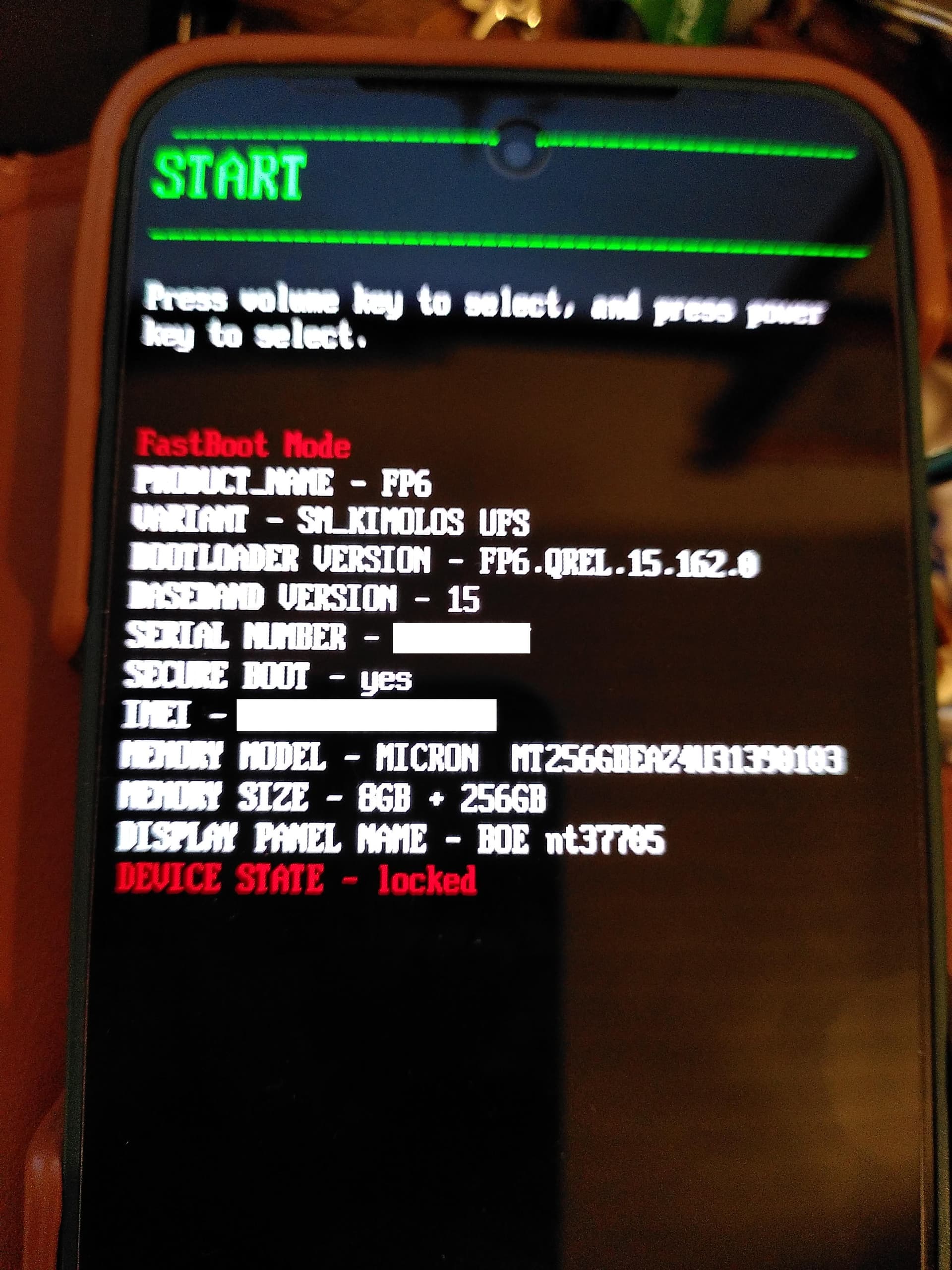
all of this occured after the re install of Android, at the last step, after locking fastboot., a message “data is corrupted” and this screen . choosing start,restart bootloader,recovery mode results only in restarting this screen. only power off works.

/e/ is also android.

it was not needed there
(and could only be done with newer SPL)

.

ok, so i just understood, the brick happened when you relock the bootloader with an older SPL than the previous one, this is THE thing to not do..

have you already tried

fastboot flashing get_unlock_ability
fastboot flashing unlock
fastboot flashing unlock_critical

again to see ?

1 Like

Thé first one fastfood flashing get unlock ability is responding : get unlock ability : 0 okay

Ok, what about the second ?

fastboot flashing unlock
FAILED (remote: 'Flashing Unlock is not allowed
')
fastboot: error: Command failed

fastboot flashing unlock_critical
FAILED (remote: 'Flashing Unlock is not allowed
')
fastboot: error: Command failed

Ok, there is definitively nothing to do exept contacting Fairphone, sorry.

Hello.

I have the same issue, fingerprint and so on.

Do I understand well :slight_smile: ?

  • one can do : back to stock Android, wipe infos, reinstall murena IF do not lock bootloader while in Android stock - but can lock AFTER murena reinstall with the ability to set security (fingerprint etc …)
  • there is no way that fairphone and murena will solve the problem with google detention and abuse of the account set in android stock - or in years.
  • there is no difference between windows, apple, and linux on the ADB/Fastboot point of view

thanks for your time