Hi there, I’m new to /e/, and have some difficulties with the message app.
On my new Fairphone 6 with Murena pre-installed i wanted to import Google sms messages from my old phone (FP3).
First on my old phone i made a back up of all the messages with the SMS backup & restore app, into a xml file.
Then i wanted to import the backup on the new phone FP6. It seems to work, for i can see the app is counting the incoming messages, but…when the app says the import is ready, the inbox is still emty…
EDIT:
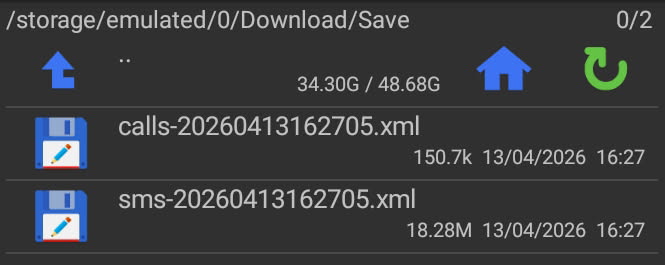
I confused some things. I made a back up xml file but I can not open is on my phone, only view it on my computer.
The problem is the json file I also made. I made a backup json.file (4MB) with the app SMS import & export but this app doesnt seem to recognize the json file. The app does not open the json file.
Instead the default message app does recognize the json file, can open the file and is counting the messages (+/- 11.000) but afther the job is done, inbox is still empty.
Same problem with the Quik SMS app.
What is going wrong?
which app is that, “qksms” built-in export? I’d know of SMS Import/Export, but it creates json files (or ndjson in a .zip for sms itself). You could retry with that app that mostly had good feedback in the forum.
Maybe depends on the exact Backup & Restore. For restore do you have instructions for this to be the default Message app?
Then you need to make Message app the default again?
But follow the app instructions whatever they say.
Yes indeed. I have to switch between the apps.
I also made a backup json.file (4MB) with the app SMS Import & Export but this app doesnt seem to recognize the json file.
Instead the default message app does recognize the json file, and is counting the messages (+/- 11.000) but afther the job is done, inbox is still empty.
Same problem with the Quik SMS app.
Any idea why the inbox is still empty?
You are right. I also used the SMS Import/Export app. but this app doesnt seem to recognize the json file.
Instead the regular default message app does recognize the json file, and is counting the messages (+/- 11.000) but afther the job is done, inbox is still empty.
Same problem with the Quik SMS app.
Any idea why the inbox is still empty?
No, its only 5 MB.
The transfer i did by uploading is to the cloud and downloading it on the new phone. No problems with that.
Yes i did. Unfortunately the inbox is still empty after importing the back up json file. I dont understand what is going wrong?
During the restore process, the defaul sms text app is required to be set to SMS Backup/Restore app. After the restore process is complete you can switch the default back to Messages. Open Messages on the phone and set it as default.
11,000 messages in 5MB, idk, I first thought seems quite light compared with my ~150 messages on 0.6MB (another phone 2,250 on 1.5MB as .xml) so maybe you have to consider the initial save “giving up”. I can imagine that if the initial save fails to complete the final output could reasonably be zero messages even if counting placeholders reliably.
There are many apps with similar name, I regularly use com.riteshsahu.SMSBackupRestore by Sync Tech Pty Ltd.
I think there’s a problem with your backup, because I just tested it on a phone with nearly 500 messages, and the file size is 18 MB.
The SMS Backup and Restore app only creates XML files for me, not JSON files.
I finally solved it
I unzipped the file, as i always do with zipped files.
But after exporting with the app SMS import/export, you should NOT unzip the file…
But import the zipped file.
The app doesn’t recognize json files, but does recognize the zipped file.
That solved it.
Thank you all for thinking along with me and your advices