Is android auto supported in /e/OS 4.x?

Hi Community,
I’m new to /e/OS so I posted already a few posts and I have a lot of questions. Hope you can help me with this one.

I installed /e/OS 4.1 5 days ago on my brand new Fairphone 6+. shortly after there was the 4.2 update. The update went without problems.

I was searching for Android Auto enablement and read somewhere that it is supported now. Not sure anymore where I read that, but anyway.

What I saw in the app lounge is that Android Auto is default installed.

Strange thing is, I can’t find it in Settings → Apps. I also can’t open it from the app lounge. the screenshot says “Openen” (English: open). But nothing happens.

I tried to connect it in my car (a VW Tiguan, 6 years old). The Fairphone gives me the following message:

Roughly translated as “Volkswagen Accessory No installed apps work with this USB accessory. For more information, visit: http://www.android.com”.

For me it feels like something is missing, but no idea what it is. I do have the default Murena maps app. I also have Sygic installed (my default navigation I use with iOS).

Also read this community post How to setup Android Auto with /e/OS? But thats a very old one. It is meant for /e/OS 2.0.

Is there anyone with more experience or knowledge here?

Thanks

Regain your privacy! Adopt /e/OS the unGoogled mobile OS and online services

Hello ! Same problem here with my Google Pixel 8 and DACIA Duster. I was very surprised to find Android Auto installed on my phone, since I didn’t do it myself…

I have tried two or three navigation apps (Waze, Maps ME, Maps, Petal Maps…) Same result as above. A guide would be highly appreciated.

2 Likes

I just saw there is an android auto section here:
https://community.e.foundation/tag/android-auto/

I’m trying to follow that one too. We are not alone.

It is unfortunate that the current /e/OS documentation page

mentions /e/OS v2.0
and omits Android 16.

Edit. This gives the impression of being out of date even of it is expected that these instructions are expected to be workable.

Added hastag documentation-inputs .

1 Like

Check! Have seen that one. Murena has some work to do. If Murena wants to attract more users to use their phones and /e/OS, they should put some more energy in development of “premium” features. Most people are not technical enough download stubs, install them and set this all up. They just want it to work. Documentation must be up2date. Great steps are being made, but /e/OS is not there yet.

1 Like

I was also testing AA using the older doucmention from murena. It did not work. I do see in settings > apps > all apps > top right “show system apps” > search “android auto” I see “Android auto Stubs”. But can’t open it or anything.

I will try to install the stubs from another post through adb. Hopefully murena updates the docs for A16.

1 Like

Interesting. Haven’t seen this “show system apps” before. But I’m barely using /e/OS for a week now. I can see one stub instaled “Android Auto Stubs”. But mine is 0 bytes. Something must have gone wrong. Will try to install the needed stubs later. Will share my experience later.

The stubs are designed to be benign until one takes the steps How to setup Android Auto with /e/OS? to actually install Google and each following step.

  • (Not that I would ever contemplate doing this.)
1 Like

Install the Google apps is no option. We don’t want to use a de-googled system to install and use google apps. Makes no sense at all. The instructions shown are for /e/OS 2.x or so. I hope Murena made some progress here. Version 4.2 is released in te mean time.

I myself still have the odd situation that Android Auto shows installed in the app lounge. But I can’t find the app at all. Even when selecting the “show system apps” I cant see Android Auto.

But I’m still curious what happens when I install the latest stubs ( AA Dependency - Murena )

1 Like

update

Just installed the three stubs mentioned above with adb. No change for Android Auto.

I also gave the “Android Auto Stubs” (Apps → all apps → system apps) all permissions, but still a no-go. Didn’t expexted much, but it is testen now.

Murena has some work to do I think.

1 Like

That’s too bad. Hopefully someone, or Murena has a solution for this.

1 Like

Hi all,

I have a FP6 and a Dacia Duster. Everything was fine with e/OS/ 4.2 unitl yesterday. I used Android Auto without any problem. But…

This morning, nothing works. I can see a warning screen on FP6 saying something like AA has encountered an error. In the car, no reaction when I plug / unplug the USB cable where yesterday I saw Android Auto button, GPS and music and phone were perfect.
I didn’t notice any update on the phone and sure, no update in the car.

Someone has an idea ? @Manoj ?

Have a nice day.

Try manual update aa

1 Like

Thanks a lot @eboelens

I have noticed this morning that installed AA was not the last version as mentionned in Aurora Store.Updated and working again.

Thanks for your help :folded_hands:

1 Like

I find it very interesting that some say they can install android auto. My experience is completly different.

Searching for “Android Auto” in the Aurora store show me that there is no AA in the Aurora store.

In the App Lounge I see AA is installed (I did not install it!) Looking in the installed Apps list, there is no AA. So I can’t find AA, I can’t delete AA and I can’t open AA. Very unusual so to say.

The app-name in my app lounge is “com.google.android.projection.gearhead” by the way.

Suddenly I remembered I perhaps DID install AA!

I also installed Google, Google speech, Google Maps. That was at a moment nothing was om my phone yet and wanted to give AA a try.

Afterwards I deleted the apps, but now I can see Google, Google Maps, Android Auto are all shown as installed! But the apps aren’t on my phone at all. The question now is, how to get rid of these apps in the app lounge.

update : Found an article to delete an app with adb. I deleted the following apps:

  • adb shell pm uninstall -k --user 0 com.google.android.projection.gearhead
  • adb shell pm uninstall -k --user 0 com.google.android.googlequicksearchbox
  • adb shell pm uninstall -k --user 0 com.google.android.apps.maps
  • adb shell pm uninstall -k --user 0 com.google.android.tts

After uninstalling these apps, 1st step I did was install Google (not that I really want that, but just want to try if I get it working). App Lounge downloaded Google and at the moment it wants to install, the app lounge crashes. Nice.
Same behaviour for Google Maps, Google Speech Recognition.

Android Auto installed again, and I can open AA now :partying_face: . It also actually connects to the car, but then …The message on the screen: “I need Google-app, Googe Maps, Google tekst-to-speech”.
Back to the computer.

I reinstalled the three stubs (mentioned here AA Dependency - Murena) with adb and afterwards rebooted the phone.

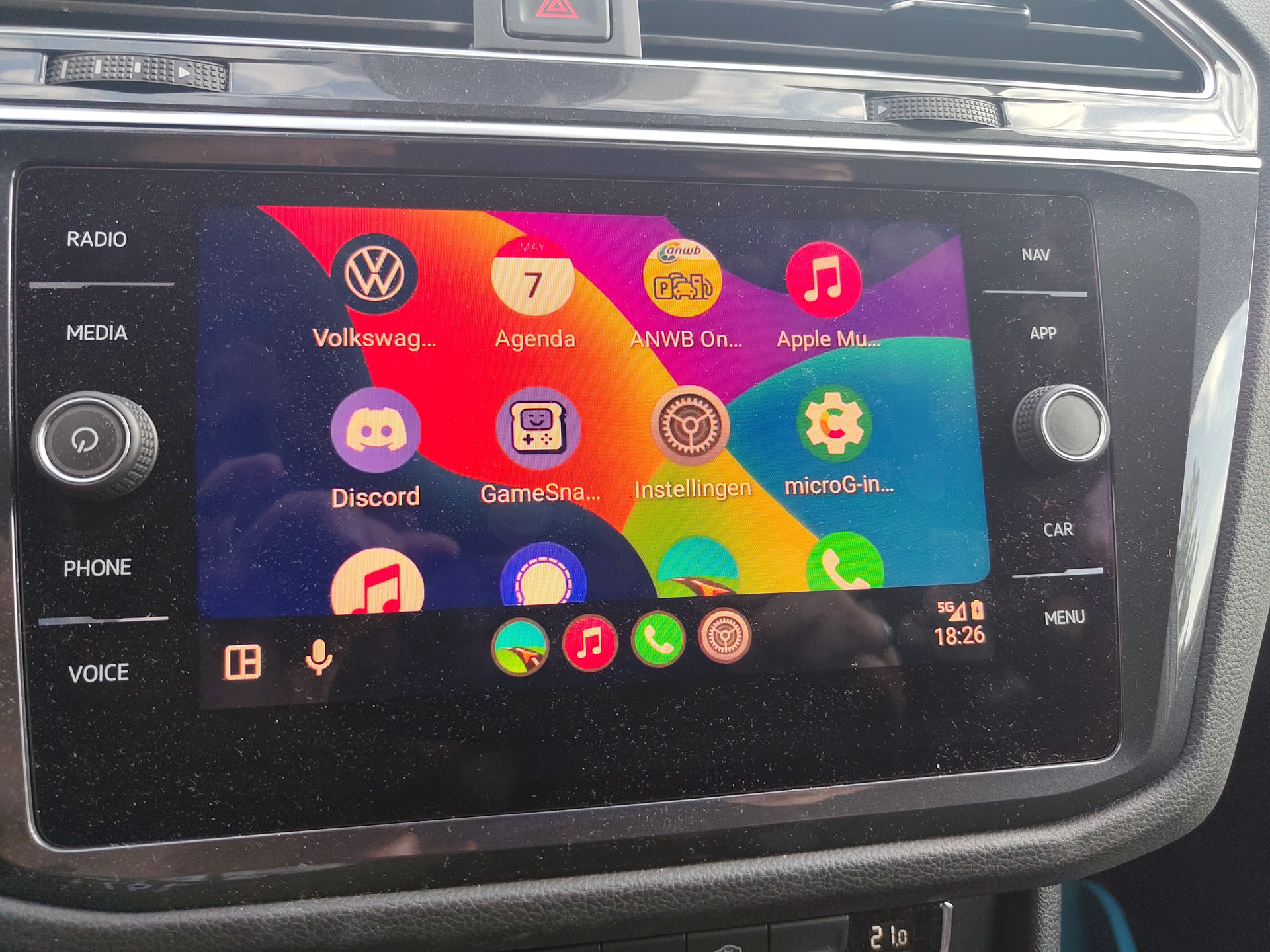
Back to the car. Plugin and again one step formward. The car asked for extra permission on the phone and then suddenly … Connection. I could Sygic Navigation App, Apple Music started. Haven’t tried making a phone call, haven’t tried using the navigation.

So. It works. And it works WITHOUT the other Google apps (until now).
Hope this can help others too.

The I only thing for me is the navigation bar at the bottom. It’s a bit big for my taste. But for now, it works in my car (with USB cable).

1 Like