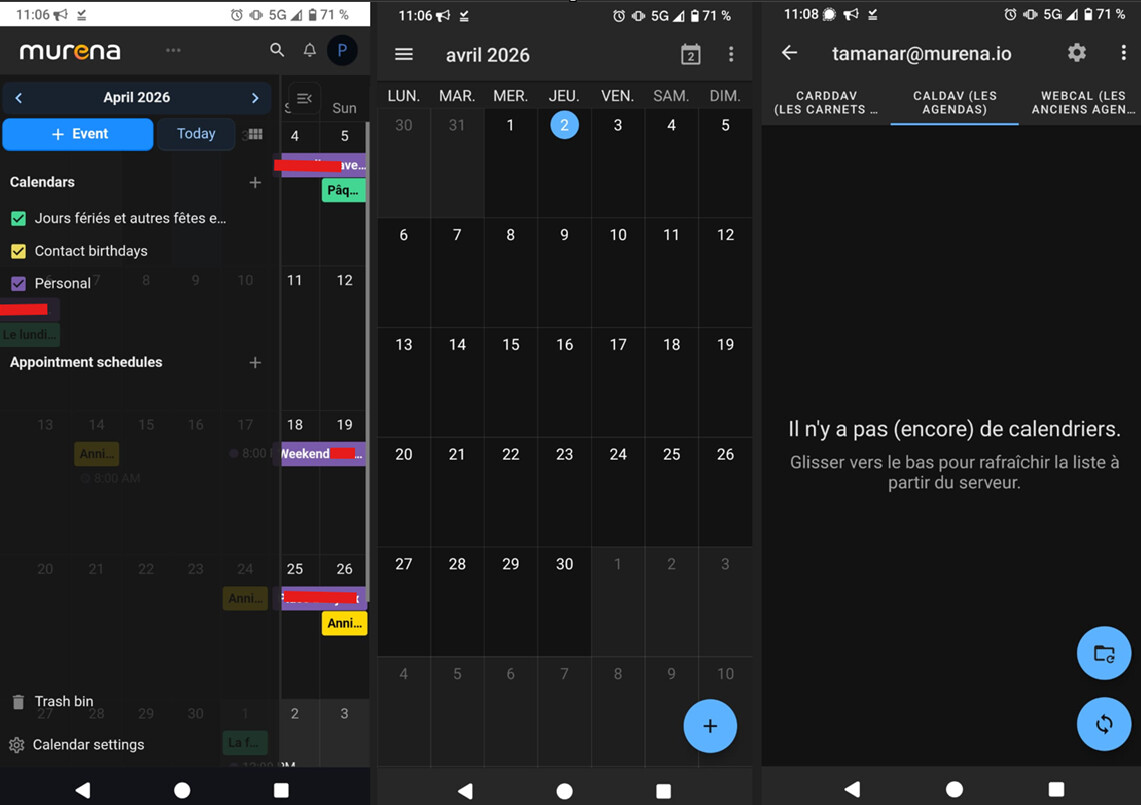
I am on a FP4 with /e/OS 3.6-a15-20260314594305-community-FP4
Here’s what happened.
I had events on the calendar in the murena workspace by synchronizing with my google accoutn to get Holidays.
It does not show on the app on my phone to I try to synchronized it.
On the calendar app I went to settings → add a calDAV calendar, add my murena account, and after it said that the user already exists, I put a new name. And when I got back to the calendar, all of my events had disappeared.
I search on the forum. So I went to:
settings → account → my murena account → My account → settings → There appear my account and the one that I had added before. I deleted it. On my murena account I went to CalDav → three doted menu → sync menu
But it shows nothing to add to the calendar
Also try to sync again here:
settings → account → my murena account → account synchronisation → calendar → uncheck and check
When you lost all events in your Calendar app this means that you probably lost one of your calendars in your Calendar app. Open your Calendar app, look into it’s settings and check the calendars your have configured there.
With “app” you mean the stock Calendar app, do you? If not it would be good to know the app.
In the stock Calendar app there’s in the top left corner a Hamburger menu. This menu contains a menu item called Settings. There you should see your concrete configured calendars (a calendar is a named list of events), the names of your calendars should be mentioned here. The Calendar app can work with several calendars, online and offline, all at once.
When you don’t see a concrete calendar here this means (as I said) either you didn’t configure one or you lost it.
When you have a calendar in the cloud and you don’t see it here you can add it using one of the menu items above. Some seconds later you should see the existing calendar items in the Calendar app.