Hi,
I recently bought a refurbished Murena Pixel 7 and the touch screen stopped working. I tried the restart with a long press on the power button without success; The phone does restart but the screen is not responsive. The rest of the phone seems functional : alarm clock still rings (and I can’t stop it). Does anybody have a clue what I should do? To me, this looks like a broken hardware and I contacted Murena help desk one week ago but I still don’t have a response.
I am starting to lose patience.
Best regards and any help is welcome.
The helpdesk takes about 7 - 10 days to respond due to the existing requests. Have passed on this post details to them to check and respond on your ticket.
Hi,
Thanks a lot @Manoj . I received a reply!
They ask me to try to restart in safe mode.
Press and hold the power button until the power menu appears.
Touch and hold Power off until Reboot to safe mode appears, then tap it.
In Safe Mode, only system apps run. If the touchscreen works here, a third-party app may be causing the issue.
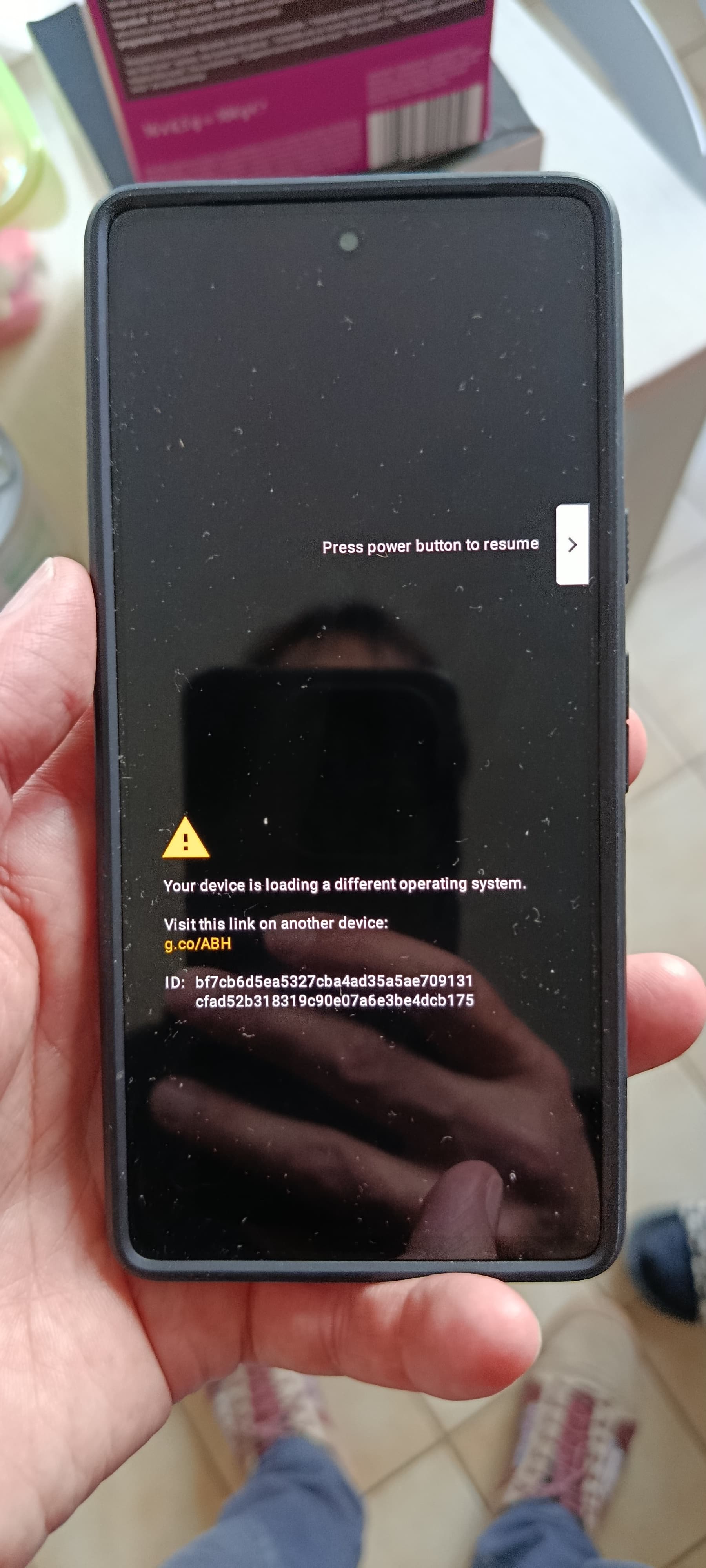
I think it is a great idea. However, unfortunately I don’t manage to restart in safe mode. I don’t get the menu. When I long press on the power button and the device restarts I get a dialog as attached. Then I can pause the boot but I don’t get the safe boot option.
Am I doing something wrong?
I think this has to do with the “Touch and hold Power off until Reboot to safe mode appears, then tap it.”
I do get the power off menu but since the touch screen doesn’t work I can’t do the touch and hold from the screen only the side buttons respond.
Does any one have any clue?
Many thanks in advance!
Ohh I see. Your touch screen doesn’t work anytime you boot. I think there is also a button combination to get into safe mode. Let me check…
Not sure if it works:
Via Hardware Key Combination
This method works on newer Android devices. So if you own one, then here’s how you can get this job done.
To begin with, power off your device. Then press and hold the Power key until you see the OEM logo.
Once that happens, release the Power key and instead press and hold the Volume Down key.
Keep on holding that key until your device boots to the Safe Mode. Once that happens, you may let go of the keys.
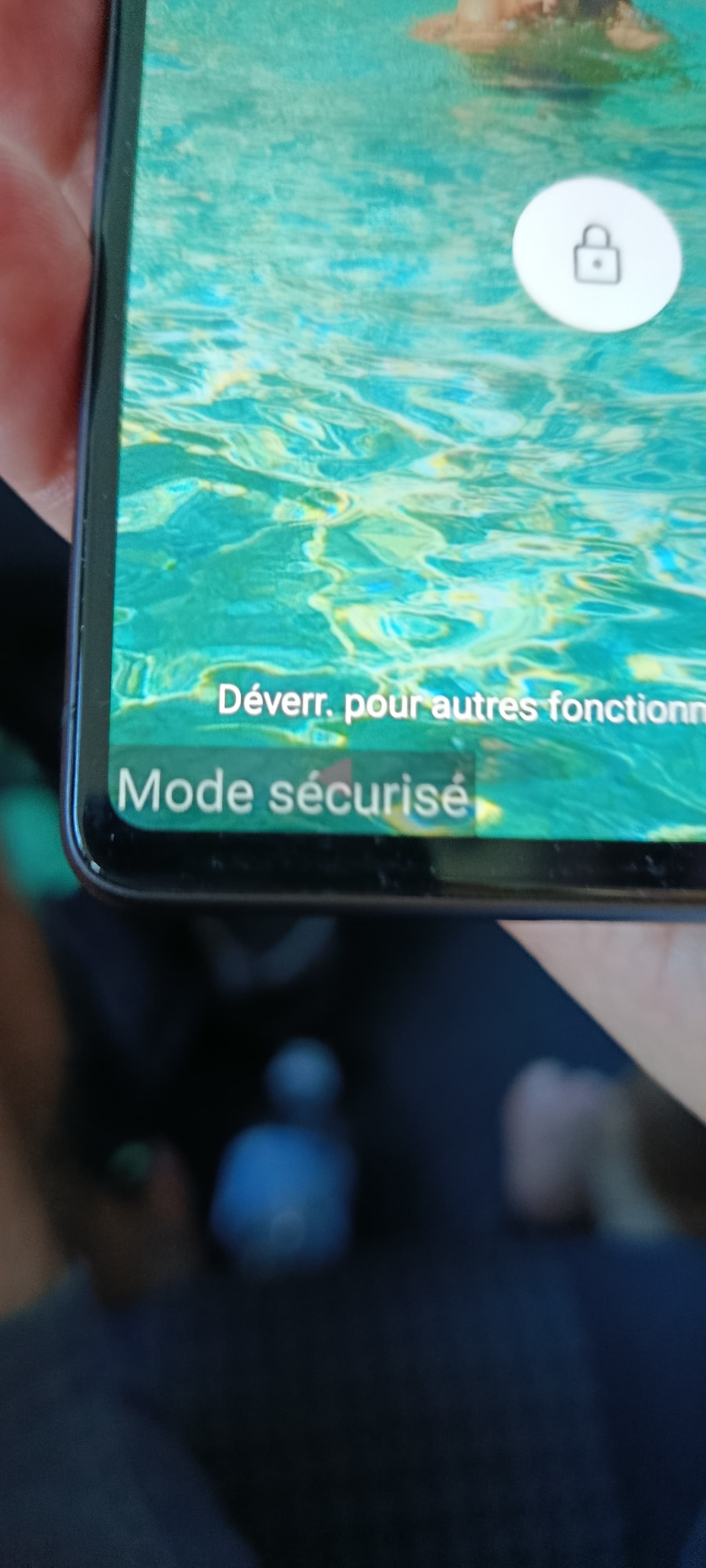
I think it worked. I can see a “mode sécurisé” label at the bottom of the screen (see the picture). But the touch screen is still not responding. Bad news. I think I’m gonna have to return the phone.
Many thanks anyway!
No, I bought it refurbished from Murena few month ago with the os installed by them. I prefer to leave this task to experts rather than to brick a phone :). Of course it was working when I received it yet with a slightly low battery life time of one day (similar to my 6 year old S7 before it died). I really have a small usage of the phone (few sms and phone calls and a little browsing no gaming, no listening to the music, no watching video).
It is an opportunity to test their after sales.
Anyway many thanks for your help!
Hi,
I’d like to ask a question to @Manoj .
When interacting with the helpdesk of Murena, i am not sure how to proceed. I was given a ticket number. Can i reply directly to the emails from the help desk or do i have to fill a new form each time? I think i saw that the helpdesk@murena.com was not monitored but now i am not sure. Contact with aftersales is not really smooth… I dont want to loose too much time. It is now more than ten days that my phone is not working.
You should be able to respond on the ticket you have already opened on their site. The response you received from them should have the link. Creating new one breaks the link and again goes into another 10 days cycle.
Hi a quick update.
So replying to the email does work. I have now returned the phone which is beeing investigated by experts. I guess they’ll change the screen.
Hi,
I am more than ever an /e/ enthusiast after more than a month living with a Xiaomi note 14 which shows me in practice what is intrusive technology. But now, I understand
@mihi It works and they are helpful but it takes a lot of time with them.
I miss so much my Murena and I really think they will have to improve on communication and speed they want to reach a larger public.
Waow,
I must say I am very disappointed. After such a long time waiting, Murena announced that they can’t repair and propose to ship the phone back and let me handled the repair (they would pay for the bill). This is not acceptable. I mean the phone is under warranty. to me they should exchange it with an other one and maybe propose a commercial compensation for the time waiting for the device. I am writing here because I think is maybe useful to other persons in taking their decision.