My phone had some authentication issues with Murena Workspace/email. By the time I got to look into the issue, after re-authenticating from the phone:
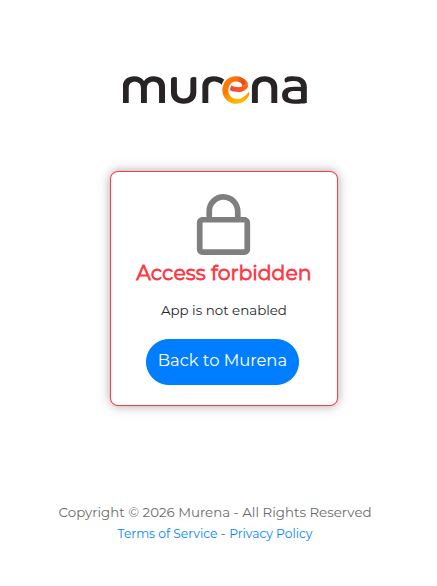
I can access email from the e/OS mail App but the webmail app just shows “ACCESS FORBIDDEN” and the mail icon is missing from the dashboard.
Any ideas to fix?
1 Like
I am also experiencing the same as well.
1 Like
Same here ! Since this morning 8h
1 Like
It’s like the app disappeared on murena workspace
Manoj
October 5, 2026, 7:31am
5
Is webmail still not visible on the Murena workspace. There was a short downtime when an upgrade was run on the servers. The system are back online now. Pl check and update if webmail is still not visible.
No mail app on the dashboard Sign in to murena
and the URL to the webmail app I was using Sign in to murena just shows
Browsers:
Vivaldi 8.2.4133.80 (Official Build) (x86_64) (Linux)
Firefox 157.0 (64bit)
Chromium Version 154.0.8037.57 (Official Build) Built from source for Fedora release 44 (Forty Four) (x86_64)
How can I communicate with u? Can u help me please( I also don’t have my email.. I am waiting very important letter..
J’ai le même problème d’accès au mail ce matin. Je suis sur Firefox : Version 156.0.1 (64 bits).
The access is still blocked and the app doesn’t appear in murena workspace, i’m on brave on pc but on my phone it doesn’t work either and i’m on ecosia
Manoj
October 5, 2026, 8:23am
10
Shared the details with the infra team. Will update on the progress of the resolution.
2 Likes
Hello,
My Murena Workspace account suddenly became inaccessible.
When I try to open Workspace / Mail, I get:
“Access forbidden — App is not enabled.”
The account was working normally before. My recovery email is verified and TOTP is enabled.
Could someone please help me re-enable the account?
@Manoj , I can provide the account details privately by DM if needed.
Thank you.
Manoj
October 5, 2026, 8:25am
12
Shared the details with the teams. They are checking on this. Will update. In case any specific details are required will get back to you.
1 Like
I too have the same problem this morning with no mail app showing in the Murena workspace and the ‘Access Forbidden’ notice.
Hope it’s sorted soon!
1 Like
frtabu
October 5, 2026, 8:48am
14
Same problem, ubuntu24.04.4, firefox 156.0.1.L’ Mail access via thunderbird is working , but very annoying problem. And problem also from android smartphone.
It’s working now.
1 Like
Manoj
October 5, 2026, 9:04am
16
We are putting in some fixes right now. Will update progress.
3 Likes
Confirmed. Both webmail and the app in the dashboard appear OK.
Thanks.
Manoj
October 5, 2026, 9:09am
19
I will contact a couple of you in DM for your email credentials. We would like to investigate why it happened for a few accounts.
2 Likes
Mail app back & working for me too!!
Thanks!
1 Like