Hello All,
I’m trying to add my account to notes app but it want work! I select my account then is show me again to select an online account or local one. Any solution?
How did you get eOS on your phone? What is full phone model? Did you create an eOS account?
I have the the same problem. I tried to login with my murena account to the notes app and nothing happens.
Other apps are working fine with the murena login.
I’m a new e/os user. I have installed my phone some days ago. I have a CMF1 with e/os 3.0.4-a14.
So you login and see something like
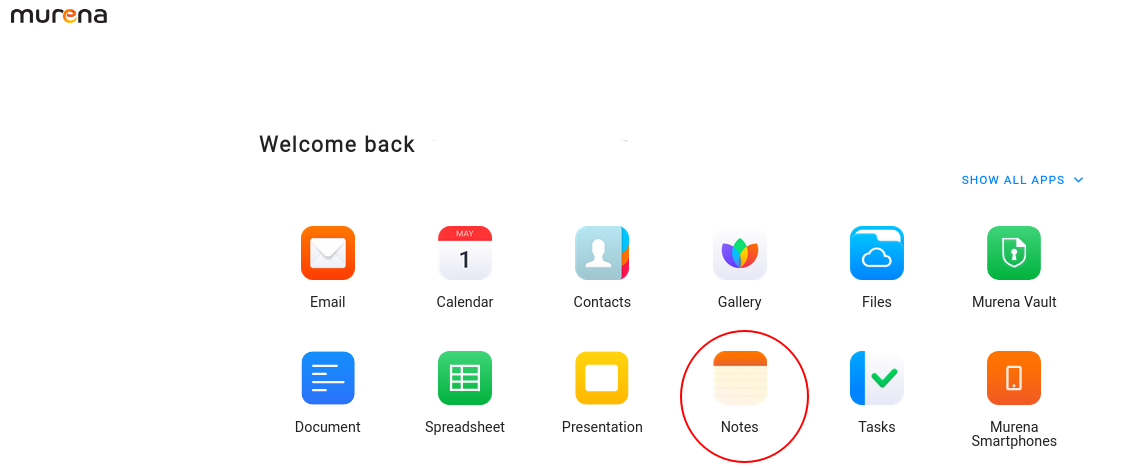
You click on Notes … what happens ? Can it just not open ?
One expects to see something like this
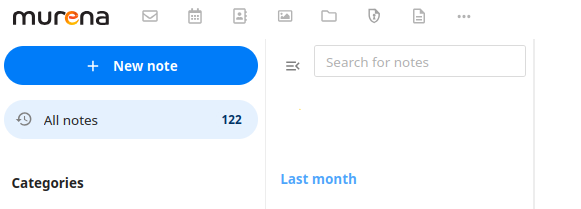
Once the phone is set up with your Murena account …
One will just open the Notes app and you will be asked
Choose local for local only notes
Online to sync with you “Murena workspace”.
Please can you describe what is not happening ?
When I select murena account it loop back to selection for local or murena online account
For clarity … in the Notes app, you are offered Murena or local … you select Murena but it loops straight back with not action taken.
Did you set up a Murena account ? Is your account working otherwise, for instance were you able to set up email. Have you checked whether a test photo is synced with your Murena workspace?
My murena account is ok! Mail work properly, photo and notes don’t sync nothing! 
Settings > Accounts > Murena account > Sync account > now check Photo and video and Notes are toggled on.
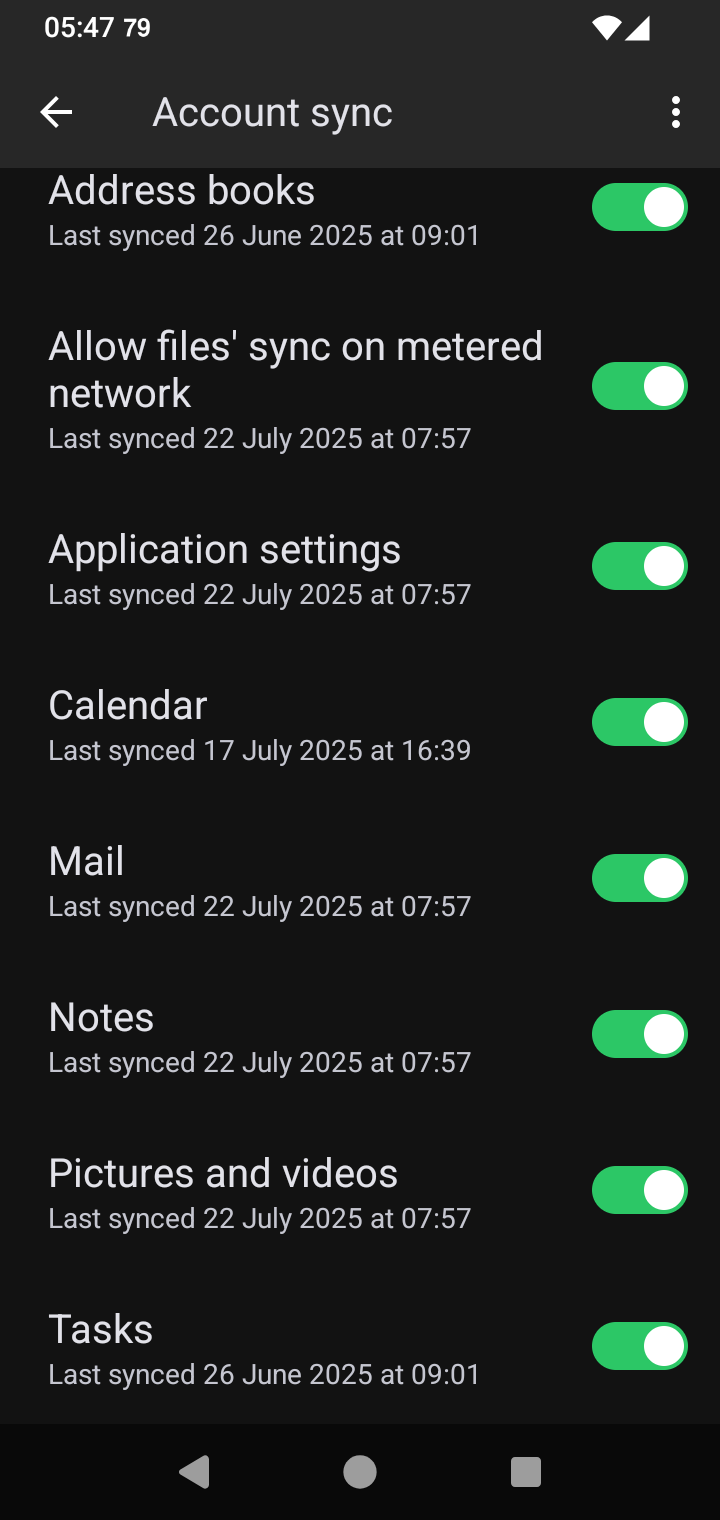
Yes! Already checked and flagged on
The feature mentioned next was set up after last year’s outage I do not quite know how it affects newer users.
This link Murena.io | user | client-synchronization is expected to take users to a page showing

Do you see this ? Is it checked on ?
I think I have the same probem as GiuseppeTNT.
I took some screenshots of the problem:
Start the notes App
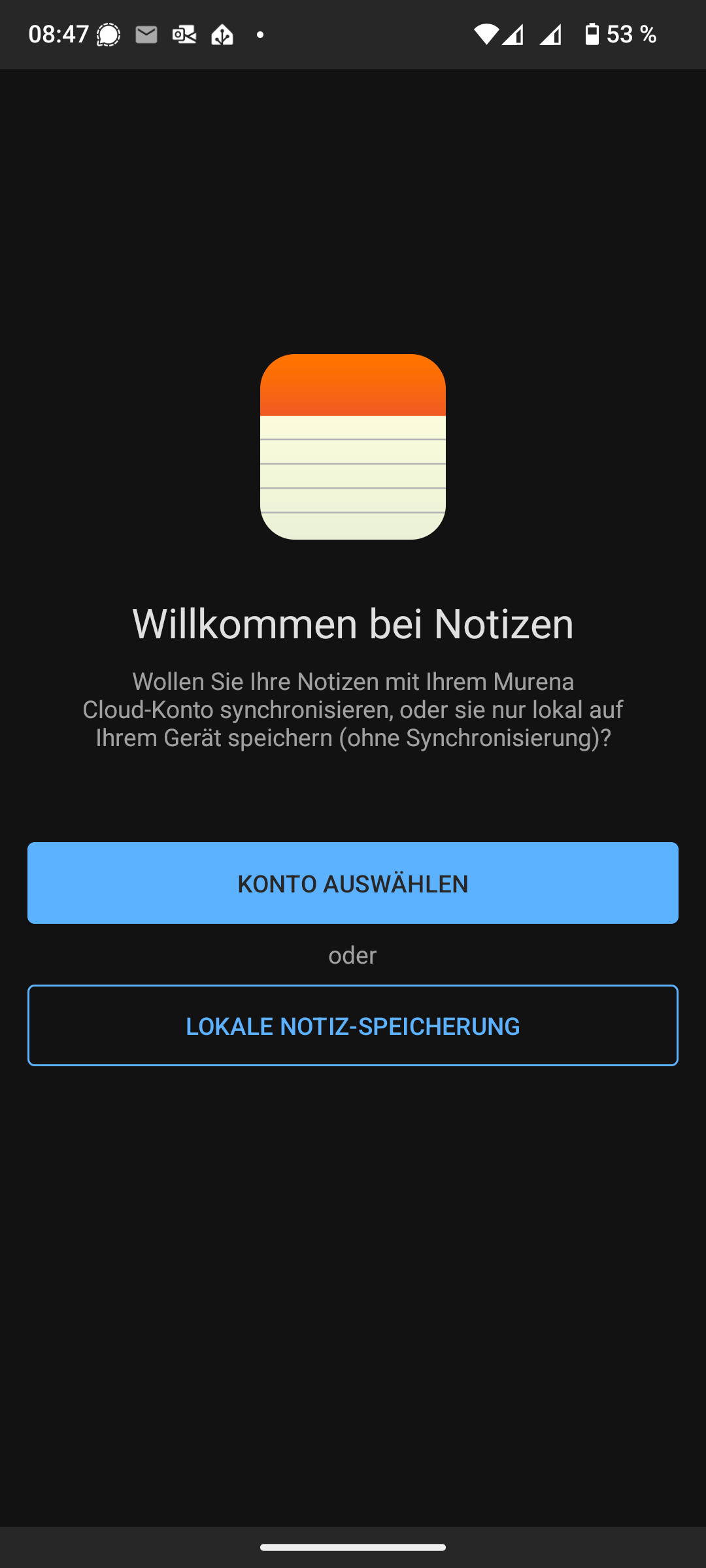
Then this one
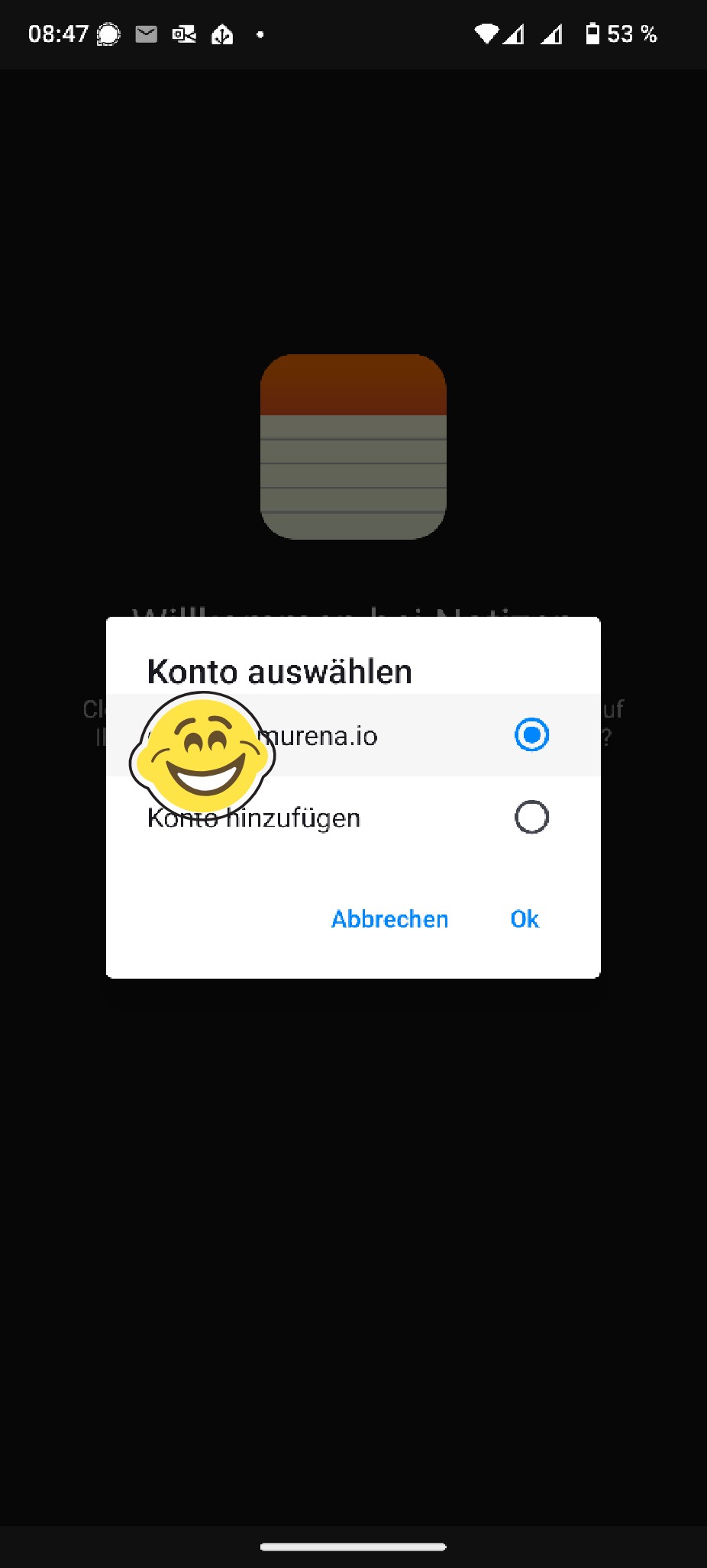
Then you get this screen
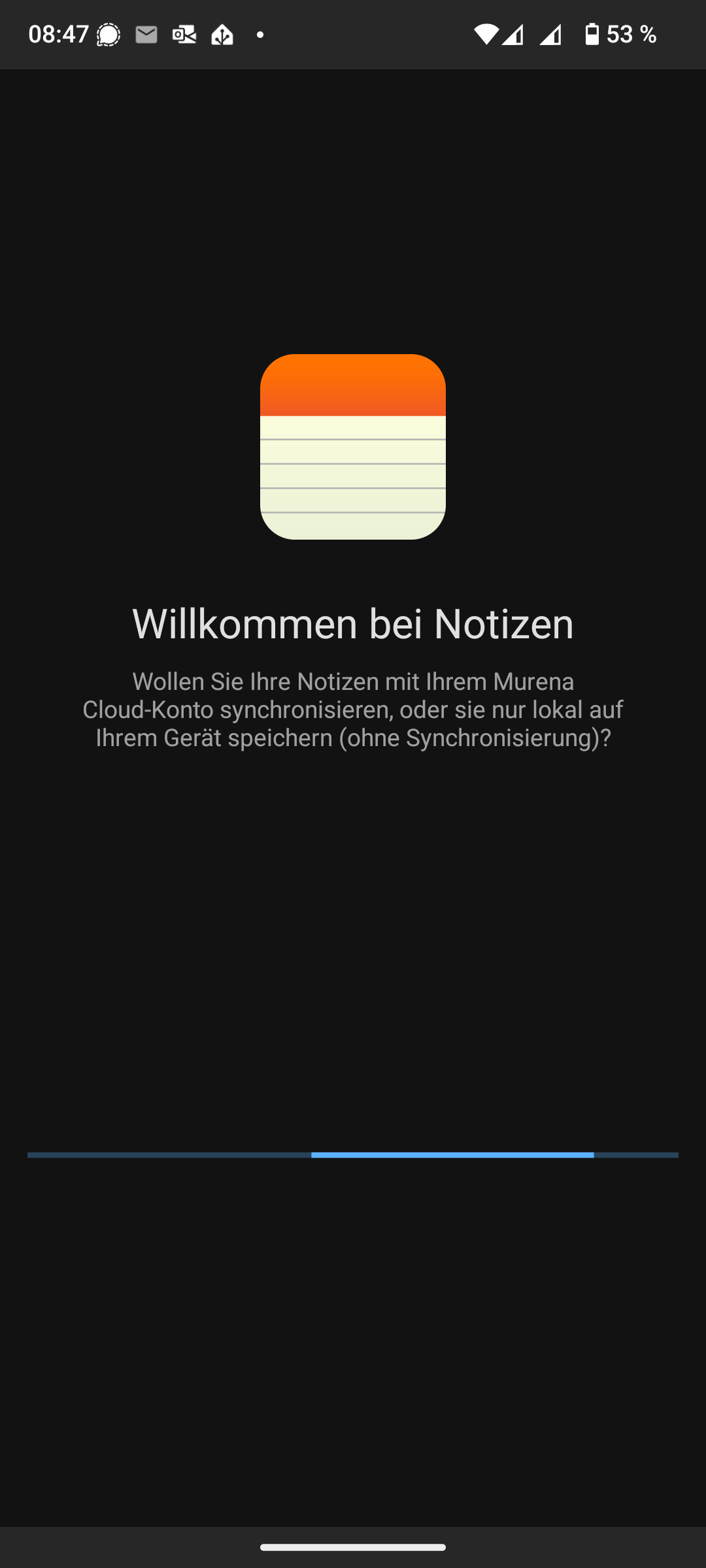
And after some seconds this one
So you are in a loop.
Thanks for the answers, I can login to my murena cloud online, I can work there with mail notes and so on.
On my phone I can use mail and calender.
I have checked also the sync settings
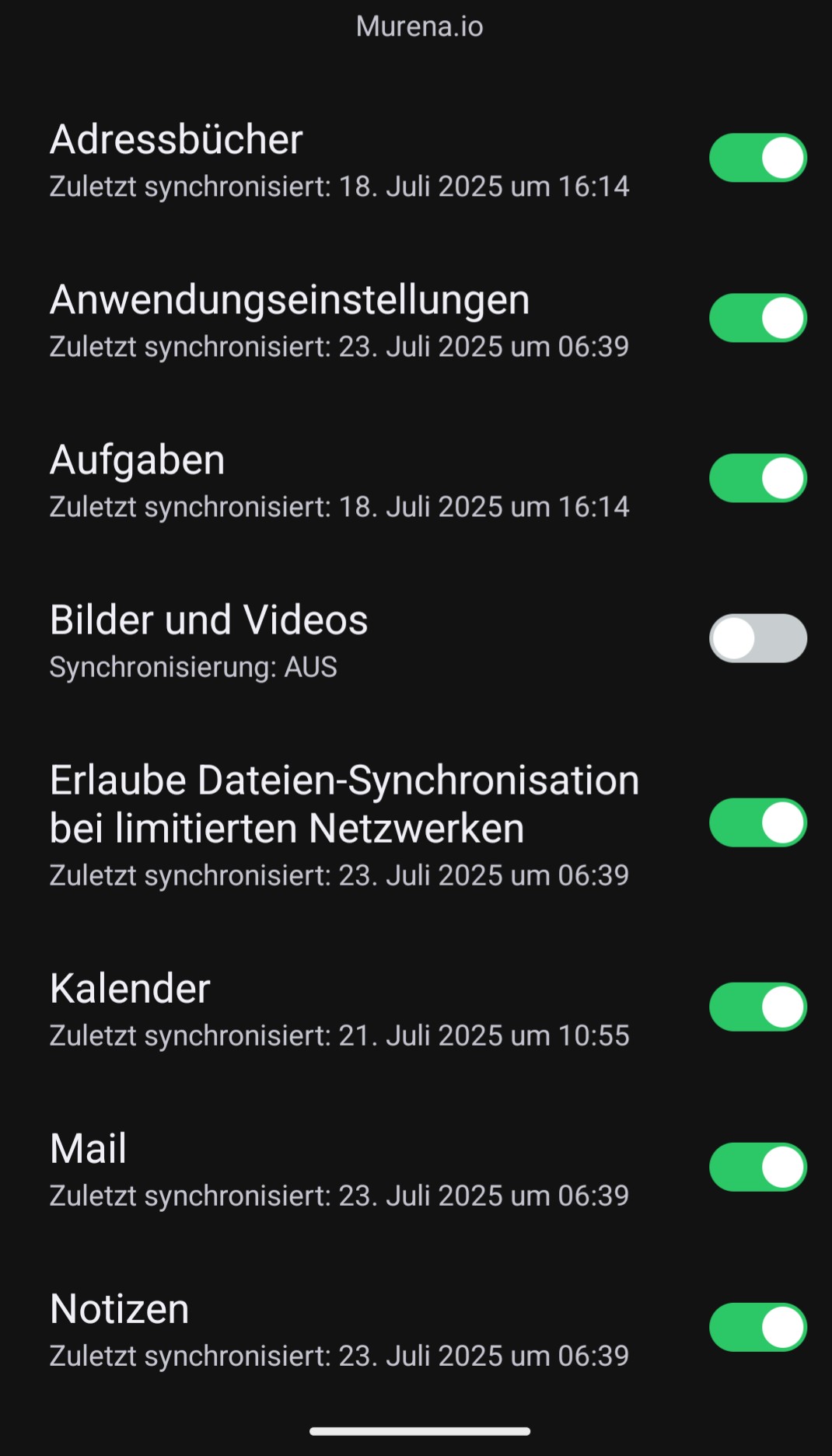
And I have checked the client-sync checkbox online, as you told us aibd
1 Like
Will depend on your Sync frequency but please try
Settings > Accounts > Murena account > Sync account >
- When was each item last synced (time stamps show in your image).
- and / or press Sync now for each
- double check time stamps advance to “now” with Sync now.
Have you restarted the phone, might help ??
The sync status seems to be correct.
I now have tapped on sync now and the current timestamp is displayed.
Yes I have restarted several time.
Is it possible to reinstall the notes app? I didn’t find anything about that
You might try other Sync options in Notes app > Settings
Latest Notes is version 3.7.4
If a revised Notes had been published it might show as available as an update in App Lounge.
There was an old trick (maybe device specific ??) one might try to Power down and restart the device while recharging in order to restart a failed Sync. Might be worth a try.
Thanks for your help. I found now a workaround for me.
-I have created a app password
-installed the nextcloud app
-connected the nextcloud app to murena with my app password
-this account appears automatically in the notes app
-I chose this one and the sync is working now
I get a message in nextcloud “Serverversion too old not supported”.
So I think thats not the best solution, but it works at the moment
having all type of sync accounts being a one-stop entry during first time setup is the primary use-case why /e/ forks upstreams. If it is incomplete it is a bug either in accountmanager or the auth backend for the userid.
In v3.0.4 I cannot reproduce an issue. If you remove the primary/all murena account types and re-add the account in Settings → Accounts and still see an issue with the Notes account it should go to the bugtracker.
1 Like
This topic was automatically closed after 90 days. New replies are no longer allowed.