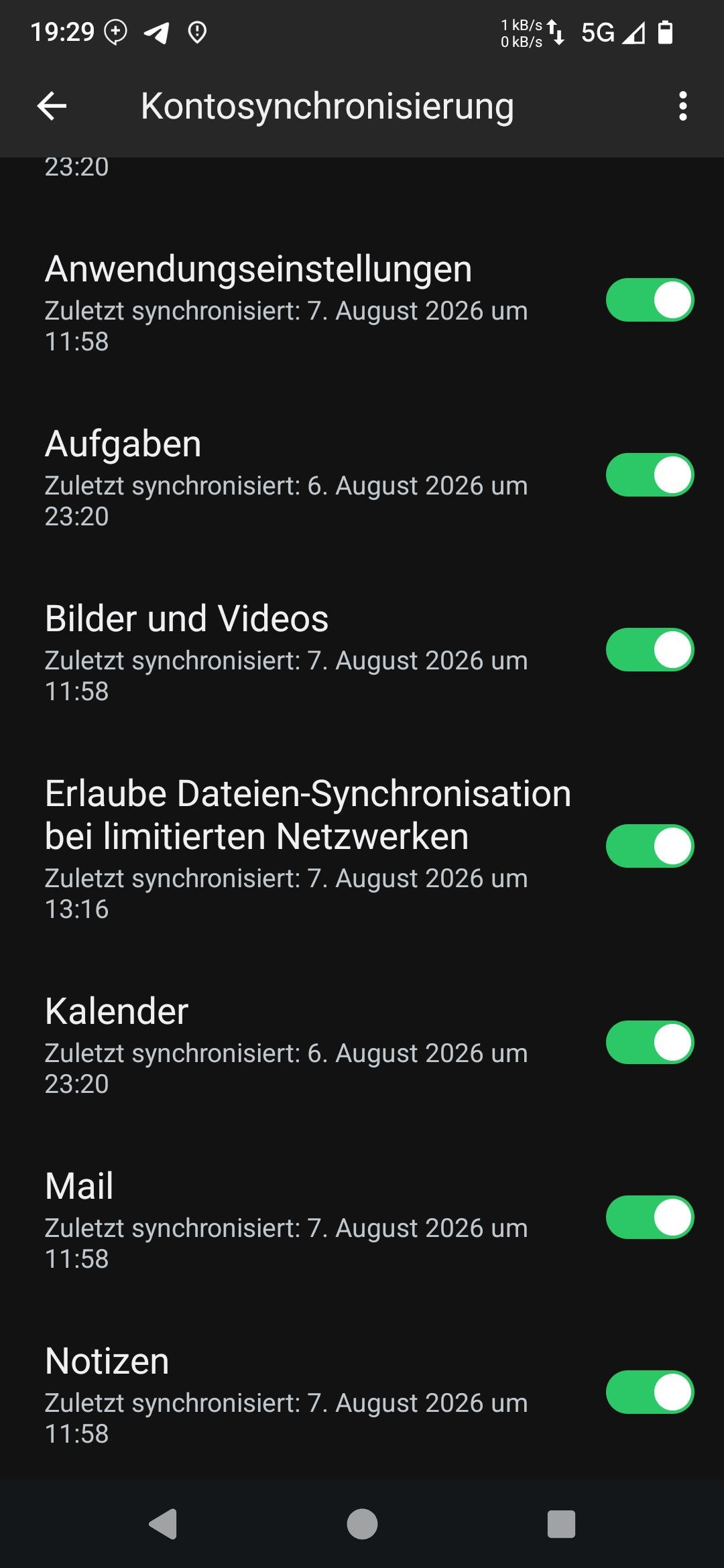
I have upgraded to Murena 4.1.1 and while I was trying to activate backup it told me that I needed to activate password synchronisation. So it went to the menu where murena account is set up.
But I discovered that my menu is missing the password synchronisation toggle.
it should look something like this
I do not see anything there that helps or addresses this issue. I also did not use
Password vault before the update
All I wanted was to enable backup to the cloud. Which is not working because of this issue by the way!
Becaus the feature keeps saying that I have to enable Password Synchronisation. And I can’t do that, because the toggle is not showing up!
Also on the way through the steps at some point it says I only can have one murena account instead of using the one that I am logged into it tries to create a new one !
Ahh well if Backup is the subject of your question the latest I read is
where the link points to passwords.
Prior to that I thought any ongoing progress would depend on
Back to Passwords we did see this
Maybe Passwords needs Report an issue if you are finding the process impossible. Personal view, I think the two things need to be separated from my reading of the Passwords guide.