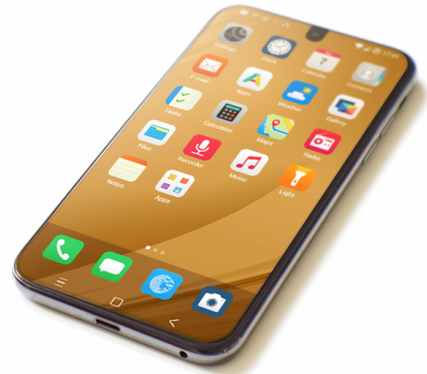
My Passwords app locked itself, even though I don’t recall having used an incorrect password for it.
Now it is asking me to unlock it on the web version of Murena Passwords. I’ve logged in multiple times there correctly, but the popup on the phone won’t go away. What am I missing?
I’m using a Fairphone 6+ with /e/OS.
Are you aware that we now have a “new” encrypted Passwords app.
There have been two forum threads where, after first setup, it was reported that Power down the phone has been required before the encryption key became available.
As far as I can tell this is the version I’m using. Also, it has worked before so I must have gone through the first time setup.
I have multiple passwords saved in it that I can see and access on the web version, just not on the phone.
Sorry, I have no sure answer. The image says that the unlock has to happen on in the Web Passwords app (perhaps have the phone detached from the Cloud, (off) during this time). Do you have any sense on the PC that any change (unlock) happens or happened?
So are you confident you used the “New” encrypted Password, rather than the previous non encrypted?
It would help to troubleshoot if you acknowledged whether you tried Power down the phone (and Power down might be the key, rather than just Restart).
Personally, for any Cloud based interventions, I would detach the phone from the Cloud for a time before drawing conclusions. I do remember doing this when I changed Passwords from old to new only ~2 weeks ago. (In fact I backed up and emptied the old so that I was quite sure of a fresh start.)
With phone detached (that is turned off), you might also try to create some new password on the Web based Passwords to check it is functional.
I can confirm I have restarted and full powered off and on my phone multiple times while troubleshooting this.
I am also 99% sure I’ve only used this new one, as the first time I powered on this phone, and created my Murena account was yesterday, and the phone came with /e/OS 4.1.something. I’ve since updated to 4.2 to try and fix this issue, and my issue with the email app.
Knock on wood but your suggestion to do a full detach did work it seems. I turned off the phone, logged in on the webpage, deleted all Passwords data, turned on the phone, still didn’t work, then I removed my murena.io account from the phone and readded it, and that seems to have done it!
Some extra info, for what it’s worth:
Now that I knew how to fix it, I messed around with it a little more.
Currently in my accounts I have the murena account and microG. In this state murena stuff (mail, notes, tasks, etc.) and my google calendar sync perfectly.
As soon as I attempt to add a Google account (for gmail and contacts) in the Accounts section, all those mentioned above seem to stop syncing. Then removing and readding the Murena account fixes it again.
I am unsure how the two are related or how to investigate further.
For now I’ve just downloaded the gmail app instead of adding a google account.
I have been checking everything, including configuration, and fetching is really doing well but sending is sporadic at best. I also had exactly the same password issues. New FP6, Murena one is resting.
I had a similar issue with apps that use a separate web session for authentication. Since you’re already able to log in successfully through the Murena Passwords website, I’d first try fully closing the Passwords app and restarting the phone before attempting the unlock again.
If that doesn’t clear the message, it may be worth checking whether the Passwords app and /e/OS are both fully up to date. I’d also check that the phone has a stable internet connection and that the browser session being used for Murena Passwords is the same account you’re trying to unlock with.
If it still stays locked after that, I’d avoid clearing the app data until you know the passwords are safely synced, and report it to Murena support with the /e/OS and Passwords app versions.