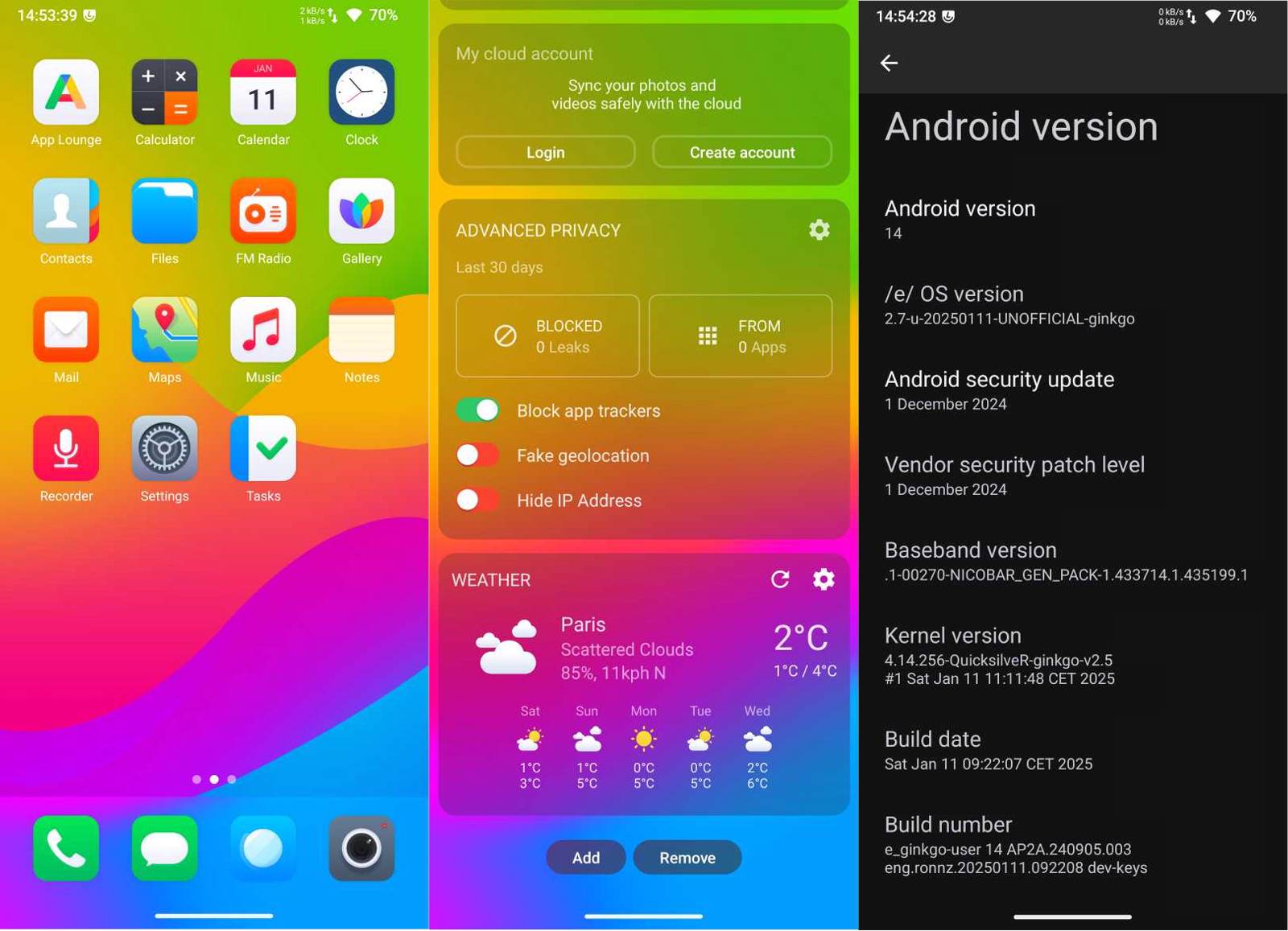
[UNOFFICIAL BUILD] Xiaomi Note 8T (ginkgo) for /e/OS-U

Xiaomi Note 8T (ginkgo) for /e/OS-U 2.7

e-2.7-u-20250111-UNOFFICIAL-ginkgo.zip
https://sourceforge.net/projects/eosbuildsronnz98/files/XiaomiSmartphones/e-2.7-u-20250111-UNOFFICIAL-ginkgo.zip/download

Please see sources and install instructions including recovery here:
https://xdaforums.com/t/rom-official-ginkgo-14-crdroidandroid-v10-x.4644282/

Use it at your own risk!
Please support the developer(s)!

:white_check_mark: works fine
Starts flawlessly, WLAN / Wi-Fi connects immediately, e-Browser runs, e App Lounge anonymous mode with known failure

:muscle: Fantastico! Thank you very much for building /e/OS-U, @ronnz98

Installed on first try with TWRP. Works great, found no problems :+1:

Xiaomi Redmi Note 8T willow

MANUAL UPDATE

:white_check_mark: FROM: e-2.7-u-20250111-UNOFFICIAL-ginkgo [test-keys] by @ronnz98
:white_check_mark: TO: e-2.8-u-20250304-UNOFFICIAL-ginkgo [test-keys] by @ronnz98
:white_check_mark: VIA: PBRP 4.0 Recovery > Install


:warning: VIA Local update: Failure when importing the local update

ginkgo

Another “willow” is running an AOSP 15 Infinity-X [release-keys] with MinMicroG + OTA update.

Update for /e/OS-a14 3.0:

e-3.0-a14-20250527-UNOFFICIAL-ginkgo.zip

Thank you!

I first flashed TWRP and then the e-3.0-a14-20250527-UNOFFICIAL-ginkgo.zip on my Redmi Note 8T. Works fine :slight_smile:

1 Like

I flashed e-3.0.1-a15-20250622-UNOFFICIAL-ginkgo.zip and everything seems to work well.
This is really great to still have updated Android /e/ 6 years after our Redmi Note 8 was out.

Thanks @ronnz98 :slight_smile:

1 Like

Update for /e/OS-a14 3.2

e-3.2-a14-20251027-UNOFFICIAL-ginkgo.zip

Update for /e/OS-T 3.2

e-3.2-t-20251028-UNOFFICIAL-ginkgo.zip

1 Like

Installation guide to avoid bootloops
For a start we extract 3 files from e-3.x-axx-202xxxx-UNOFFICIAL-ginkgo.zip to have them ready, those files are recovery.img vbmeta.img dtbo.img
We boot our redmi note 8 or 8t into fastboot mode using the button combination, then we flash the recovery.img we just extracted by using fastboot flash recovery recovery.img once that’s completed its time to reboot using the command fastboot reboot or by uding the button combination, once we see the redmi logo we hold volume up and we should land into e/os recovery.

Ignore this part of the guide if are able to boot into e/os recovery
In case bootloop is present or the following screen


then we have to boot into fastboot using the button combination once there we flash the other files we extracted earlier with the fastboot commands commands:
fastboot flash vbmeta vbmeta.img
fastboot flash dtbo dtbo.img
fastboot flash recovery recovery.img
Once that is completed we can reboot into recovery using the button combination or just to be safe we can use the command fastboot boot recovery.img

Once on the e/os recovery we can simply wipe /data /cache and /system select the back button and then apply update and either choose adb or sdcard if we have one installed and the build .zip copied on it, simply select reboot once its done and thats it!

Usability
the build “e-3.2-a14-20251027-UNOFFICIAL-ginkgo.zip” installs and works fine however the built-in apps are slightly out of date for example the browser version is 138 and microg is 0.3.8

build “e-3.2-t-20251028-UNOFFICIAL-ginkgo.zip”
All build-in apps are up to date as for e/os version 3.2
MicroG version for this build is 0.3.9


4g :check_box_with_check:
Cellular calling :check_box_with_check:
Call recording :check_box_with_check:
IMS (volte) :check_box_with_check:
Cameras :check_box_with_check:
Wifi 2.4ghz and 5ghz :check_box_with_check:
Hotspot (only 2.4ghz) :check_box_with_check:
USB tethering :check_box_with_check:
Play integrity :check_box_with_check: (only basic)

Charing while powered off :check_box_with_check:
Fm Radio :check_box_with_check:

APP compatibility
Whatsapp :check_box_with_check:
Revolut :cross_mark: build.prop tweak is not enough as bootloader unlocked status is visible


Wizz air :check_box_with_check:
while it usually refuses to run on custom roms and closes as soon as you open it, on this build it seems to work fine

As usual a big thanks to Ron for taking his time to provide those builds :clinking_glasses:

2 Likes

I’m not sure what the difference between the a14 and t version is. Is “t” Android 13?

Yes /e/OS-T is based on A13 and /e/OS-U (now /e/OS-a14) is based on A14

Ok so does it make sense that some parts on the A14 build are less op to date than on the T build as gianncap states?

Yes, might be that the prebuilt apps I had in A14 build environment are older than in my A13 environment

All seems fine with the A14… I hope it fixes the no mic on signal and teams bug that had been present in LOS. and was fixed somewhere in the summer for some ROMS..

Unortunately not…

The problem is that when switching to speaker with teams or signal the microphone gets muted.

See CRITICAL, SHOWSTOPPER issue in LineageOS 21: Microphone not functioning with Apps that use RTP/RTCP, eg., Google Voice, Signal, etc. (#7007) · Issues · LineageOS / issues / android · GitLab

There seems to be a fix, but it is not implemented everywhere yet

Official A15 version is now available:

Will it update to that one without issues from your last A14 3.2 build? I want to avoid a full reinstall due to installed apps.

(They state a starting base of Android 11 is required.)

don’t you have it already ?
i think it was required for /e/OS-a14 as well…

Well at this moment I am running your A14 E/Os 3.2 build. I came from lineageos. Before that I think I had the latest official build.. Not sure if that was 11