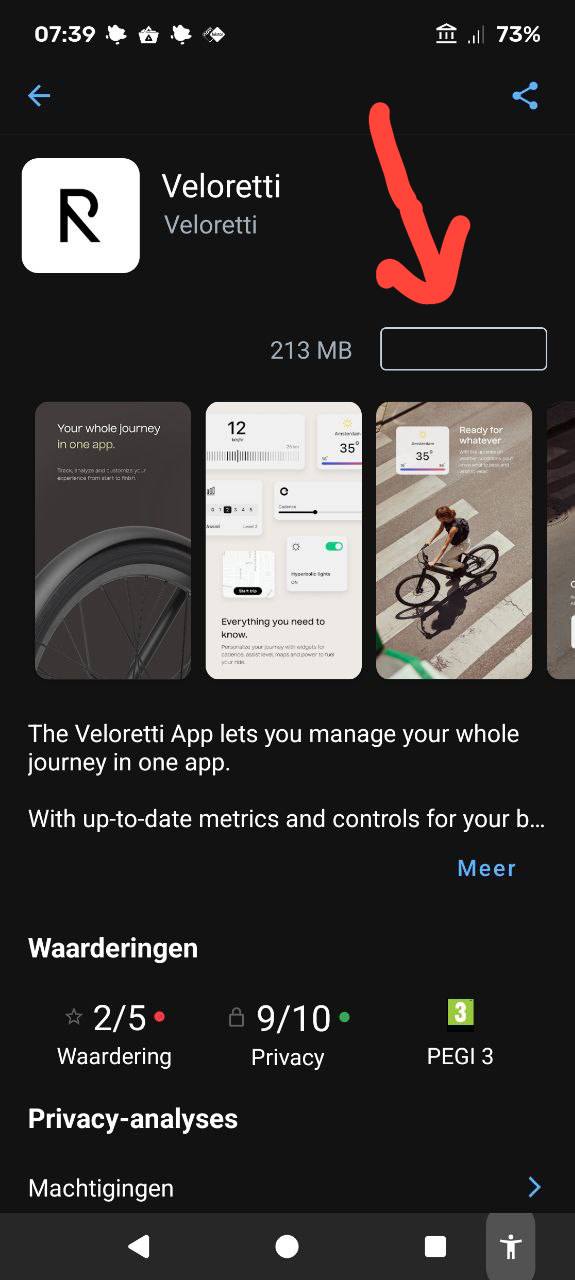
App lounge and Aurora will both install the app from the Playstore, so Aurora is probably not going to help you here. There have been some problems with the app lounge, though, so you could install version 3.3 of e/OS/ when it becomes available and see if that solves the problem. I can install the app on my FP5 BTW, so maybe it’s an FP6 specific issue.
It is interesting: When I type “veloretti” in the App Lounge search bar, it is suggested as a search term. However, the app itself is not listed in the search results.
To directly open it in App Lounge, you can use the direct Google Play Store link: https://play.google.com/store/apps/details?id=com.comodule.veloretti&hl=de
Try to open it in your browser. On /e/OS, you should be asked whether to open the link in App Lounge, which will then show the usual app info in App Lounge, including the install button. I could successfully install and then launch the app.
(You may also find the Google Play Store link with your preferred search engine, e.g. veloretti app – Qwant Search)
Please note that I have just opened the app to see whether it really starts on /e/OS, I have not done any registration etc. in the app itself and do not know whether it really properly works on /e/OS. @Marijkeh : You can install Aurora Store by searching for “Aurora store” in App Lounge. It should be listed as one of the “Open Source” results. As with App Lounge, you can use it with an anonymous account to install apps from Google Play Store.
App lounge and Aurora will both install the app from the Playstore, so Aurora is probably not going to help you here. There have been some problems with the app lounge, though, so you could install version 3.3 of e/OS/ when it becomes available and see if that solves the problem. I can install the app on my FP5 BTW, so maybe it’s an FP6 specific issue.


 |
|