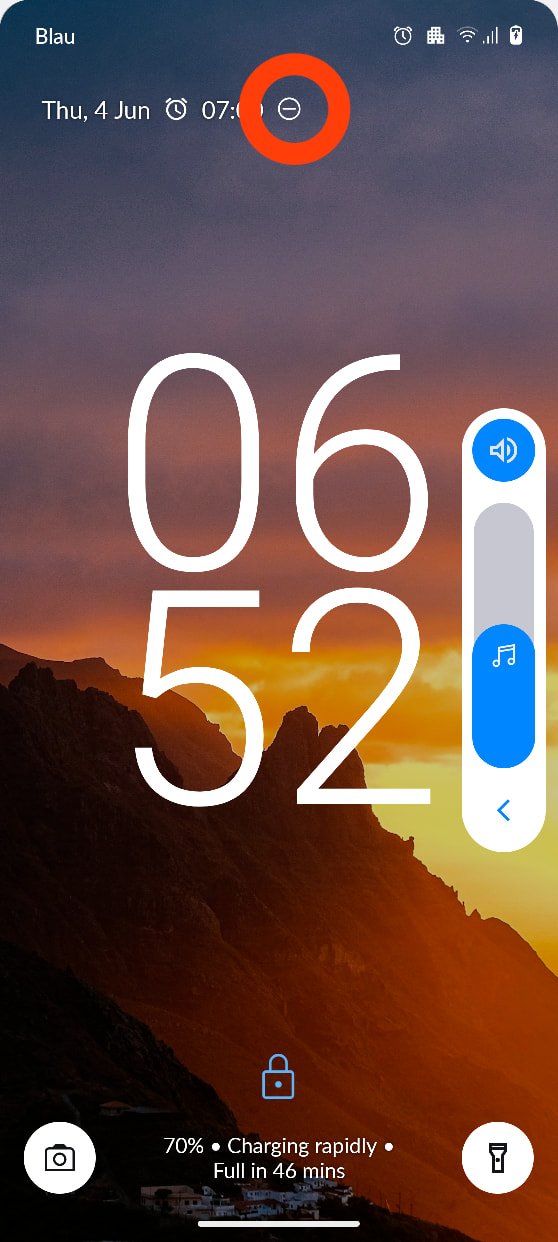
What does the marked icon in the screenshot mean, and where can I find information about it?
1 Like
Do not disturb is on I think.
3 Likes
You are right. This symbol is the icon of the “Do Not Disturb” mode. You can find that if you pull down the settings and tap on “Modes”.
However, I did not have the “Do Not Disturb” activated. Instead, my “Work” mode was activated as you can also see in the status bar in the screenshot above. So, why does the lock screen display the “Do Not Disturb” icon, when “Work” mode is really on? Wouldn’t it make more sense to display the icon of the mode that is on, if any? I mean, what’s the purpose of having the same information in two places?
1 Like
Maybe a bug? You could report it on Github/Gitlab/whatever Murena uses.
1 Like

This topic was automatically closed after 30 days. New replies are no longer allowed.