So I’ve been using an external keyboard for typing on my phone (bluetooth connected) but can’t change the layout of the keyboard.
Result is that my keyboard layout can only ever be USA English which is quite bothersome. (I have another keyboard which is a French Azerty but for some reason shows up as French canadian which also is a qwerty TT - I also can’t change that setting)
I’m on a Faiphone 6 under /e/OS/ 4.4.2
When I connect my keyboard, the setting “Clavier physique” (physical keyboard) shows up.
When I do click on Clavier physique to get more settings, here’s what it looks like:
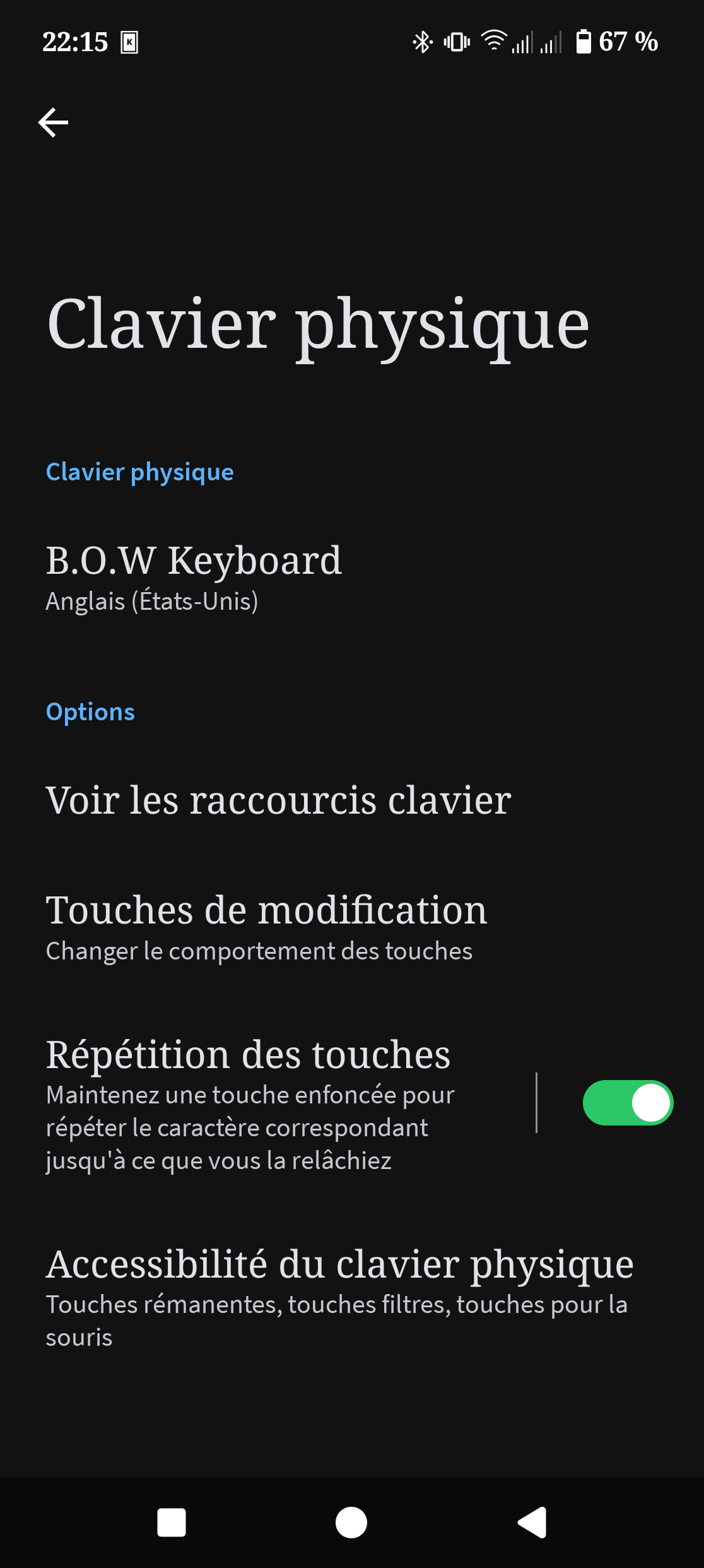
Under the first blue title it seems to indicate that the layout of my keyboard is USA English so I click on it in order to change it, this brings me to another screen where the big title says we’re still on the physical keyboard but all options under it seem to refer to my onscreen keyboards.
All of these available option have the desired keyboard (Though I’d appreciate the new azerty layout instead of the old one, but that’s another topic altogether).
Somehow, when I go back, it still shows my keyboard to have the USA English layout.
When I type in, the USA English layout is indeed the one that is used.
I have tried multiples “hacks” and “solutions” of which I remember most was trying to override that through another digital keyboard (usual the google one) but nothing worked.
