Have you tried tapping the refresh icon (circular arrow) at the top right of the System Updates screen a few times?
fairphone 4, A16-community, no 4.2-update – why?
–-
btw: this – state of outdated webview in e/os as security problem– is troubling me, too. maybe i should switch to calyx?
btw2: the new 4.0-murena-password-manager-reminder is a little intrusive (esp. when it is straddeling into browser-password-save-option making them impossible)
-
FP4
-
4.2 A14
-
device Rooted
I updated to 4.2 today and the issue is still the same with the new password sync. In accountmanager is no toggle for password sync. Can not use Passwords app and cloud backup. I can not factory reset because I need cloud backup first. Still the same issue like in my older post:
Good to know: an other FP4 with fresh e/os install does not have this issue.
Please give a hint how I can give the accountmanager a push to show the password sync toggle.
- Fairphone 6
- FP6
- Version previously: 4.1.1-a16-official
- Not rooted
- Bootloader locked
Update went smoothly
My Beoplay EX earbuds still don’t work with phonecalls, music yes.
I don’t use the Murena account, but my own Nextcloud.
The rest works as far I have tested it.
Assuming you don’t need it, it can be disabled in Settings > Accounts > Preferred service > None.
1 Like
thank you for the hint. i changed the default.
would be really nice to know though why after that long wait there is still – no 4.2-Fairphone-4-build (A16)?
Hi. Yes i´ve tried it many times, during the last few days.
* Fairphone 6
* FP6
* Version previously: 4.1.1-a16-official
* Not rooted
* Bootloader locked
Updated right before going to sleep and some apps didn’t work well on wifi. But fine on 5g. Seems like the same bug as others reported but did not have time to test without ipv6 on yet.
I fixed it myself with root. See my updated topic:
I wonder if feeding seedvault with the backup files generated by Murena Backup might work ? 
Hello everyone,
On:
- Fairphone 4
- FP 4
- present version : 4.2-a14 (official)
- previous version was 4.1.1-a14 (official)
- not rooted
Install went fine as all previous ones.
First thing I checked for the display problem in AppLounge; in English, if at all it was a problem, it has been solved; but (at least) in French and in German the problem of the missing last line(s) on the choice page still remains.
In English : fine
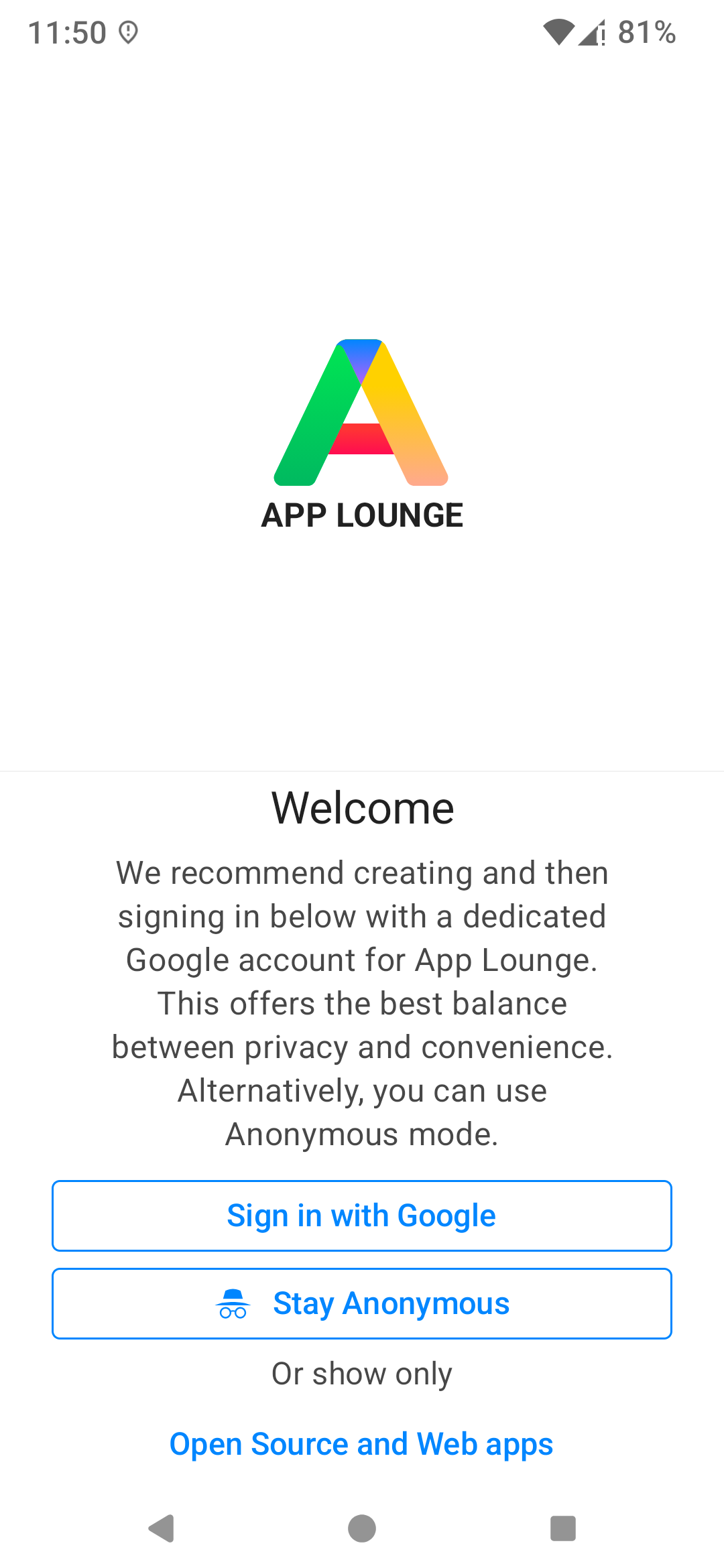
in French : not fine, line hardly visible

in German : line missing completely

Is scrolling not possible on this page ?
Scrolling (or otherwise, i.e. reduction of the “A - APPLOUNGE” icon size / section on the page) has to be (re?)introduced.
Hope it can be solved with the next release.
Thanks in advance.
Cheers.
Ludo
4 Likes
- Vendor Name - motorola
- Device name - moto g42
- Device CodeName - hawao
- Version of /e/OS or Stock which existed previously - -4.1.1 A15
- Is the device Rooted / Not rooted - not rooted
Update went smoothly. No problems found so far.
- Vendor Name - Xiaomi
- Device name - Mi 8 Pro
- Device CodeName - equuleus
- Version of /e/OS or Stock which existed previously - -4.1.1 A14
- Is the device Rooted / Not rooted - not rooted
Update went smoothly. No problems found so far.
-
Vendor Name: Murena
-
Device name: Fair phone 5
-
Device CodeName: FP5
-
Version of /e/OS or Stock which existed previously: 4.1.1-a15-official
-
Is the device Rooted / Not rooted: not rooted
The update came late yesterday. Everything seams to be working as previously.
-
Vendor Name: Murena
-
Device name: Volla Tablet
-
Device CodeName: Mimir
-
Version of /e/OS or Stock which existed previously: 4.1.1-a14-official
-
Is the device Rooted / Not rooted: Not rooted
Everything’s working fine so far.
I am looking forward to the version upgrade to A16.
Thanks to the team!
1 Like
Pixel 5
redfin
4.0-t
not rooted
All seems fine at the moment. Seedvault is still there or back again, I skipped the 4.1 update.
I don’t use the new password app or the VTT feature, so I can’t say how they work on this device. The password app lacks offline functionality and after a short test the VTT feature seems not competitive.
Sadly, this official device is still End of Life since February.
1 Like
System > Backup menu entry seems to have disappeared from the Settings app: no entry in the System section…
However, it is reported in the search bar when searching for “backup”… but clicking on “System > backup” in the search results doesnt lead to the backups : inactive click 
Bug or feature ?
FP3 running 4.2-a15 just installed
1 Like
@camel I experienced the same issue: 4.2 not available even if my FP6 was with e-4.1.1-a16-20260717651034-official-FP6.
I downloaded e-4.2-a16-20260815662938-official-FP6.zip (link found at Builds – Django REST framework ) and performed a local update easilly.
3 Likes
how can you do this with fp4, community and 4.2?
You just go to Django, change the parameters to fit.
FP4 + community → Builds – Django REST framework
for 4.2 you are searching for the required url line … but it’s not currently there as a16.
on a Gigaset GS290, update
from /e/OS 4.1.1-A15 to 4.2 officials.
“Update went smoothly, no problems found so far !”
calls & receives, messages, mails, browser work fine,
Many thanks for supporting this old&useful GS290 !
1 Like