Migrating from an IOS device (Iphone XR) to a new Fairphone 6 with pre-installed e/os.
Took my physical SIM card from my IOS and installed it in the FP6.
SMS/call works flawlessly. Wifi also (obviously) works without a problem).
But the internet connection via the SIM card doesn’t work. It indicates connection to 5G and strong signal, but there is a cross over the signal in the top bar. This cross meanwhile isn’t in the internet settings.
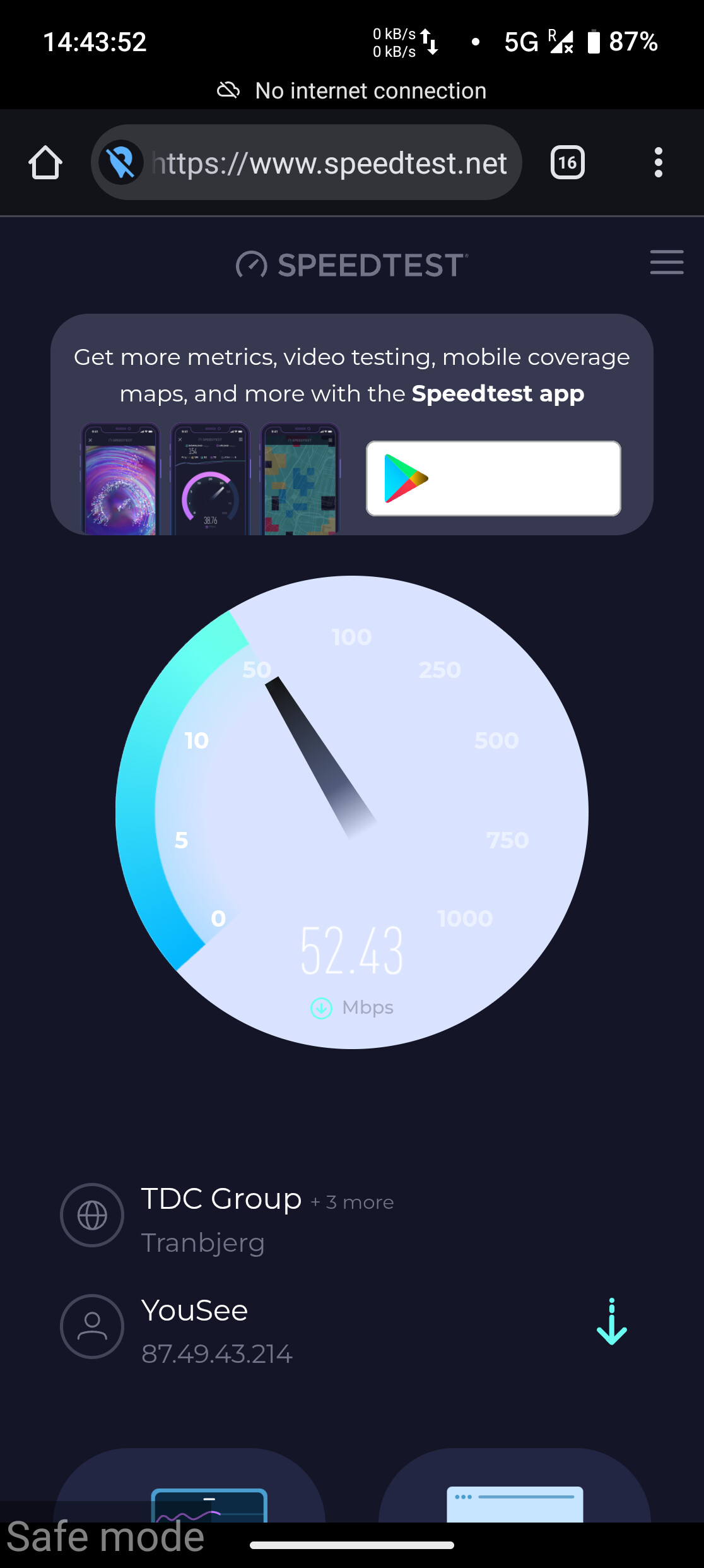
When I use the browser I can use the internet without problems (stream youtube, run speedtest.net and so on) but there is always a bar at the top of the browser saying “No internet access”.
It seems that it is a problem for some apps, for example for “Signal” that can’t use the internet connection.
What I have tried:
Checked the APN settings
Reset internet settings multiple times
Restart phone
Selected “LTE/WCDMA” in “Prefered connection type” to disable the use of 5G (“NR”)
I’m a bit out of ideas on how to fix this. Please help
Have (like every other human in 2025) also asked the chat-bots (claude) and it suggests that it could be a problem with the way e/os checks if there is internet connection. Explaining that e/os might ask a google server if there is connection, while simultanously blocking access to google services. But don’t know if this is true?
For what it’s worth (not much), I’m also on a FP6 with /e/OS pre-installed, but I don’t have this issue. I have two SIMs (one eSIM and one physical) with Oister(3) and Telenor.
As you already seem to have checked your APN settings may be:
Check if Mobile Data is ON under Settings → Network and Internet → SIMs → Mobile Data [yes, seems obvious; but you’d be surprised]
Check if Roaming" can be toggled to on and if it makes a difference
Check if 4G calling can be toggled to on and if it makes a difference. For me when 4G calling was off, my phone was connecting to the EDGE network not the “x” (cross) though. Also installing the Network Survey app from F-Droid might start giving you an idea on what network your phone is connecting/connected to.
Great that it is working for someone (with danish providers), then there’s still hope!
I just tried enabling “Hide IP Address”, and it actually seems to fix the problem, but also slows the internet connection a b fixes the problem, but also slows the connection a bit. Still interested in finding the root cause
weird phenomenon. The mobile link itself shouldn’t be the problem if it routes packets at all.
I assume this uses the network operators dns servers? Does the browser has “Use secure DNS” enabled in its Privacy+security settings?
Just as sanity check, can you use another system nameserver? in Settings → Network → (bottom) private DNS → use Quad9
If your mobile operator isn’t out to get connectivity check urls specifically (unlikely), it reads like they’re unset without fallback, but then I’d expect more users of a particular build report this.
Downloaded “Network” app from F-Droid, couldn’t find one called “Network Survey” ⇒ Not quite sure what to read here, but it says that “Data service: Connnected” and ping requests go through on both IPV4 and IPV6.
So, I’m still at a bit of a loss. Using “Hide IP Address” fixes the problem, as written before, but it significantly slows the connection now, and I’m also concerned to use it too much, because of the concerns about mail-providers banning my device
So, so… Still in desperate search for any help! Thanks
How do I update it to v3.1.2? Looking in the settings it looks like I have “/e/OS 3.0.4-a15-…-official-FP6”. When I press refresh, it says that I am running the latest /e/OS
Hello there from Norway, with a similar setup and problem. I am running 3.0.4 on a fairphone 6.
I changed operator last week to Phonero (it uses Telia N in the background). Got a new SIM, restarted, went through the checklists online (mobile data on,reset network, etc… ).
Calls and sms work fine, wifi too, but not mobile data. I can make mobile data work by turning my VPN on (Proton). So very similar to OP’s situation.
Any help appreciated. Everything was running smoothly with the previous operator (MyCall, also based on Telia).
I will call my operator monday and post if they have a solution.
Update on my case (Phonero in Norway). The APN configuration I had received with my SIM was wrong. I created a new APN manually, following the specs from the mobile provider website, and mobile data now works as expected. I don’t know if it can be an answer to your problem, @rud .
@TomL thanks for the update! Good to hear that it is working:)
I have checked my APN settings and they seem to be correct, but I’m still seing the same errors as I specified in the first post.
For now I got the update 3.1.1. But it didn’t seem to fix it.
After that I enabled the tester channel and installed 3.1.4. But that also didn’t seem to fix it.
As far as I can see the roaming is enabled in the settings.
Advanced privacy fake location is disabled.
The same SIM works without problem on my Iphone XR, which I’m clinging onto until I get a fix for this Fairphone 6 issue.
I have no personal experience of roaming but I think others have reported zero or “drip feed” of mobile data from the “foreign” provider. Maybe this provider is not obliged to provide data, idk, but it probably makes troubleshooting your initial issue problematic till you get home.