I tried to install eOS on a brand new Google Pixel 8, but without success.
I attempted both the web eInstaller and command-line installation, but nothing works for me. The new phone came with A14, and I installed the latest version of A15, as specified in the installation guide for eOS on Google Pixel 8 (Shiba).
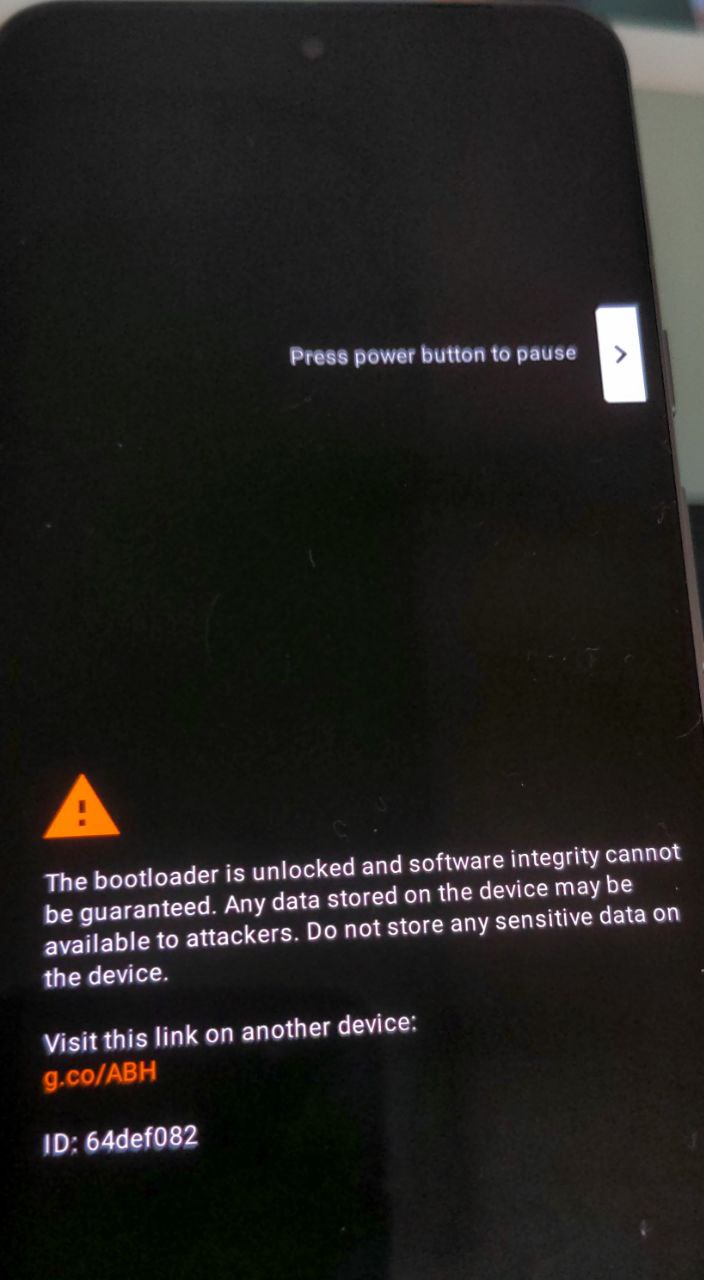
My problem with the eInstaller and command lines is that I cannot accessRECOVERY MODE. Indeed, when I select Recovery Mode from the Fastboot menu, the phone displays a screen indicating that the “bootloader is unlocked…” (See the photo below), then briefly shows the Google logo before rebooting continuously on this same screen (2 or 3 times). It then returns to the Fastboot menu.
I have tried several times to restart this process, but it doesn’t work. The phone remains stuck in the loop between this rebooting and the Fastboot screen. I had to reinstall A15 from Google’s Web Installer to get a functional phone. I then restarted the eInstaller process, but I am still stuck at the same point.
Thanks Mihi for the information but I believe this should not impact me as I have found on the forum that someone else @ITSME succeed with the same error.
@ITSME Could you please provide guidance for the install? @piero I believe you have helped ITSME before for the same issue.
I have read this post and tried to follow the steps mentioned in there but it did not work for me, could you please help
Hi @piero thank you for your quick response, really appreciated
If I well understand, your are saying that to install the official version of eOS (based on A14) I need to be on A14?
If this is the case, eOS should update the installation instruction that mentionned that the device should be on A15 (please see below).
So if I need to downgrade the phone to A14, I can try to do so via the Google’s Web Installer.
But, I’m worry to brick the phone because of the anti-roll back function that “Gogol” has implemented recently
Did you know anyone that has succeeded in downgrading successfully the OS from A15 to A14 recently on Pixel 8?
@piero I am now on the Fastboot screen with bootloader unlocked on the device (Pixel8).
I have tried the script from the command line method but I got an error message at step 4 : “Run Git Bash UI (Windows).” See image below.
Sorry I’m late to the party. When I had this issue before it was 100% because my phone was on A15 instead of A14. Once reverting to A14 it went great. Funny story though… I’m in the middle of rooting a new Pixel 8 that was already on A15 and I haven’t been able to revert back to A14 this time. I was going to post here about it and see what the fix is, so I’m glad to hear there is a solution and that the new release for A15 is on the way!!!