I’m attempting to download E onto a CMF Phone 1, using the web installer. It has Android 14 pre installed, brand new phone. Am using Brave for the download, in Windows. Not a private window.
I’m following all the steps, in fact I’ve checked the steps around 5 times at this point…
Build number tapped 7 times.
Developer Options; On.
OEM unlocking; On. (OEM unlocked)
USB debugging; Enabled.
Allow USB debugging; enabled on phone.
File transfer enabled.
/E/ OS then downloads, after connecting to the phone.
The problem is that after the download, I selected ‘connect,’ for the Bootloader connection and got an error message. The phone rebooted to the start page and froze. Gave it 10 mins and then went to the reboot screen manually.
Still couldn’t connect the computer to the phone with the Bootloader Connection.
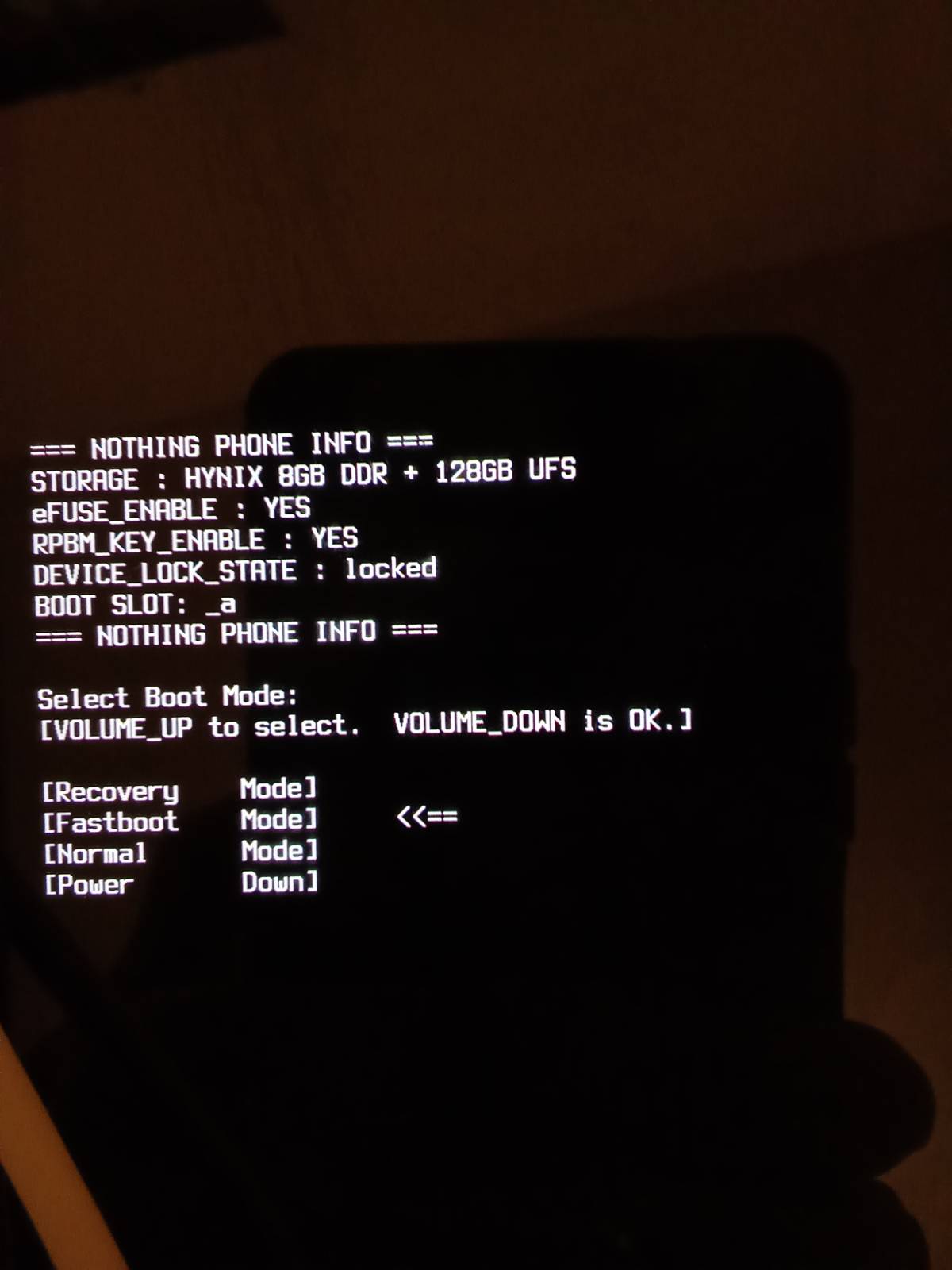
Below is a screenshot of the phone after downloading E to computer, and going to reboot manually.
OS on phone? As mentioned, pre installed with Android 14. OS on computer, Windows.
The error message is that the installer cannot connect to the phone, via bootloader. I’ll type the exact wording when the error comes up again. Am attempting another install at present.
“Cannot execute command connect bootloader
The device is not connected Failed to connect: Cannot connect Bootloader
Proposal: Check connection and that no other program is using the phone and retry”
The phone is stuck on startup, ie ‘CMF, powered by Android.’
So the phone attempts to reboot, but doesn’t.
The little help guide is for just this situation and is actually what I predicted in my first reply. As said there, just check Windows Device manager and see if the phone appears as a Problem device if yes follow the guide to get the full driver set.
I’m going to muscle on with this and try and figure it out; to anyone thinking of purchasing a device purely to install /E/ OS, I’d say it may be best to either buy a device with /E/ pre installed, or use a compatible phone that you already have.
For the non technical minded with little time to spare like myself, it may be a headache and just not worth it.
Hopefully, I’ll get it running. If not, I’ll have to sell the phone and lose money as well as time.
If you get a quiet moment to read some eosinstaller ( ← is a link) threads you will see many comments on difficulties not helped by there being no documented way to get a log from the installer in the event of difficulties. Seems the installer does show an output on the PC screen in the event of some situations. Try to quote the error if asking for help. Some cmf-phone-1 threads are also informative.
I’m not sure this is suitable in your situation but often jou can find the right driver for windows using the ‘optional opdates’ option once you have connected you phone in fastboot mode.
Because you have to install this manually, the webinstaller fails.
Don’t give up, you will manage, just as I did but it can be very frustrating indeed!
 Problem device if yes follow the guide to get the full driver set.