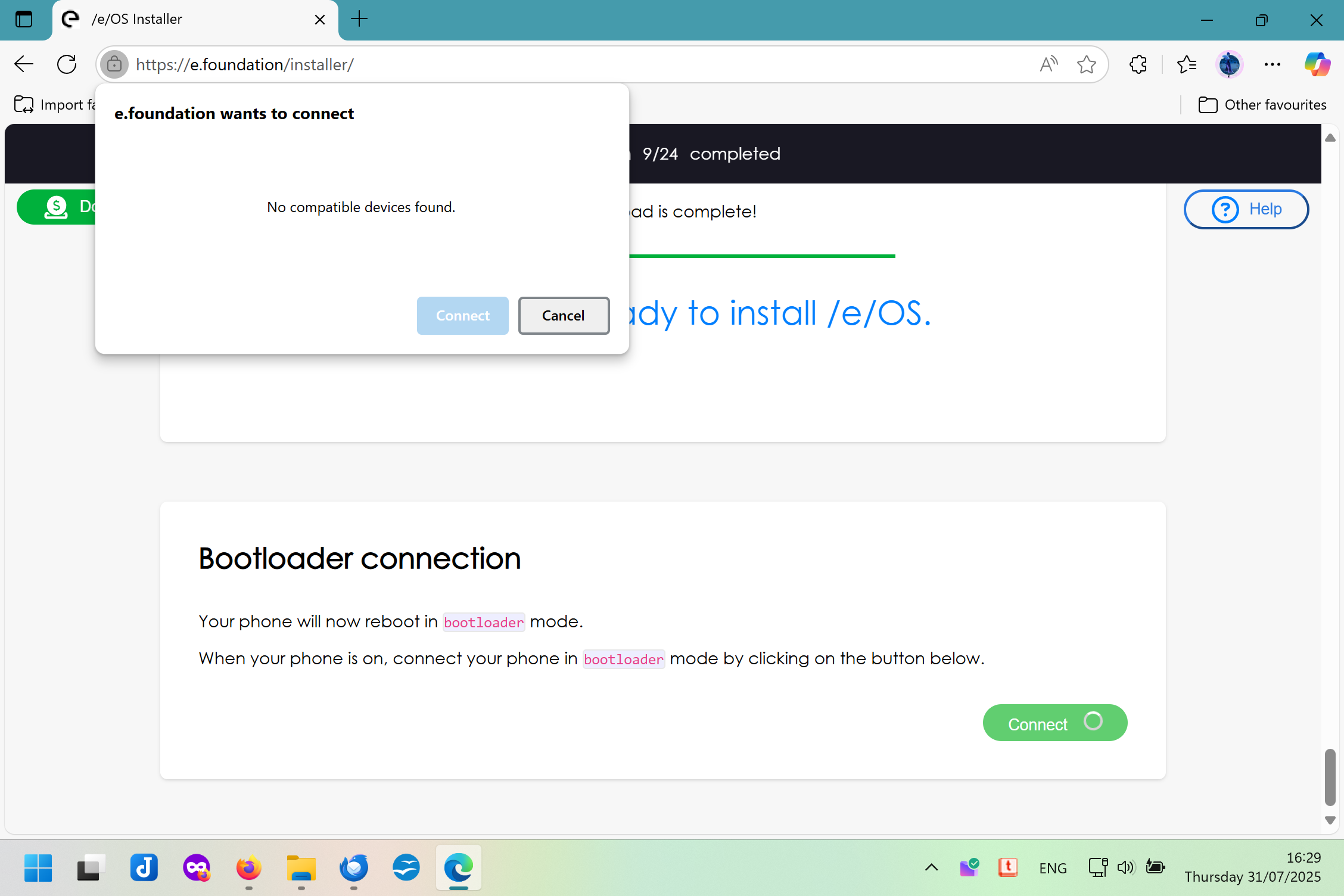
Hi, I started going through the web installer for my FP5, completed 9 steps out of 24. Up until now the steps to take have been very clear, which is great because I’m not a techie. However I’m not sure what I’m supposed to do next.
I’m not sure if there’s a technical problem here, or whether I’m supposed to do something that’s not spelled out clearly as the previous steps were.
On the phone screen it has a menu with options for “Start”, “Restart Bootloader”, “Recovery Mode”, “Power Off”. I wonder if I’m supposed to restart the bootloader, but I don’t know and obviously don’t want to guess and muck up my phone.
Can someone shed some light on this? I’ve tried refreshing; I’ve gone through the process three times now.
By this point you should have been guided to have the phone in Bootloader with big green START at top and Fastboot highlighted in red. The lock status will show also highlighted red “Locked” or “Unlocked”.
If the phone is not discovered in this Fastboot mode then best to abandon the Web Installer which seems not to work for all. [1]
Certainly the preparatory previous stages are very important to get just right in order to arrive at the screen described.
By this point you should have been guided to have the phone in Bootloader with big green START at top and Fastboot highlighted in red. The lock status will show also highlighted red “Locked” or “Unlocked”.
Yes, this is the screen I have on my phone. I’m not sure If I’m supposed to do something on it for the web installer to connect, that was my question.
Ok I’ve done some research in the forum and considered my options. I do not have the technical expertise to attempt a manual install. I was wondering whether to try again on a different browser (I was using Edge), and triple-check every step of the process, and see if I hit the same problem.
However, in this thread, and I think I saw mentioned somewhere else as well, concerns that the web installer does not re-lock the bootloader at the end, that that involves additional tools and sounds complicated, something about dates of security patches I don’t understand.
I’m concerned that, if I manage to successfully install /e/ this time, the next step(s) are too advanced for me and I’ll have to give my phone to someone else to sort out anyway. So my new question(s): is re-locking the bootloader necessary (for someone who’s not a techie, just wants to use a phone for normal phone stuff)? Where can I find clear step-by-step instructions (for Windows)? And would I be better off just sending my phone to AndroidPrivacyAccess to do the entire thing? It’s a brand-new phone that I saved up for so I really, really don’t want to get this wrong. I would have outsourced it anyway but I saw a video a short while ago of the new web installer and it looked so simple!
The eosinstaller is quite new and one big downside (did I say already?) is that there is no documented way to get to get a log … anything we said here would be guesswork and you might get deeper in the mire if there is just something odd in your setup.
One thing to be sure of is the whole USB chain … so your best data cable (not a charging cable) perhaps a high capacity cable, certainly not a skinny one or one or one with damage, avoid USB hubs (including any hidden hub in your PC / laptop), plug the cable to the USB port soldered to the motherboard, looking at the machine manual if necessary. This is a very common cause of failure to identify the phone.
You use Windows, this may be your issue, please be sure to check and understand this [Solved] Windows does not see my phone in Fastboot mode … in an automated environment be sure to keep a Device manager window open as you proceed
Good luck if you try to have a go again. I do think that it is unfortunate to have been given the impression that this would be dead easy.
Even to do the Windows drivers check (in order to avoid complications which might be difficult to understand) you would need to have done from the Install page > Requirements
This is something you really must understand before you flash your phone and at a minimum get a screenshot the Android SPL on your FairphoneOS before you go any further. Some help in understanding this here: (answered) Install /e/ on FP5 with newer Security Patches.