In App Lounge search BoursoBank and install the app
Once it’s installed, open it and type in your log in and then your password
Once successfully logged in you’ll have to go through different steps to make sure this new device is legit (either validate on another trusted device that you’re the one trying to add a a new device or scan your ID)
At the end of the validation steps you’ll see this message:
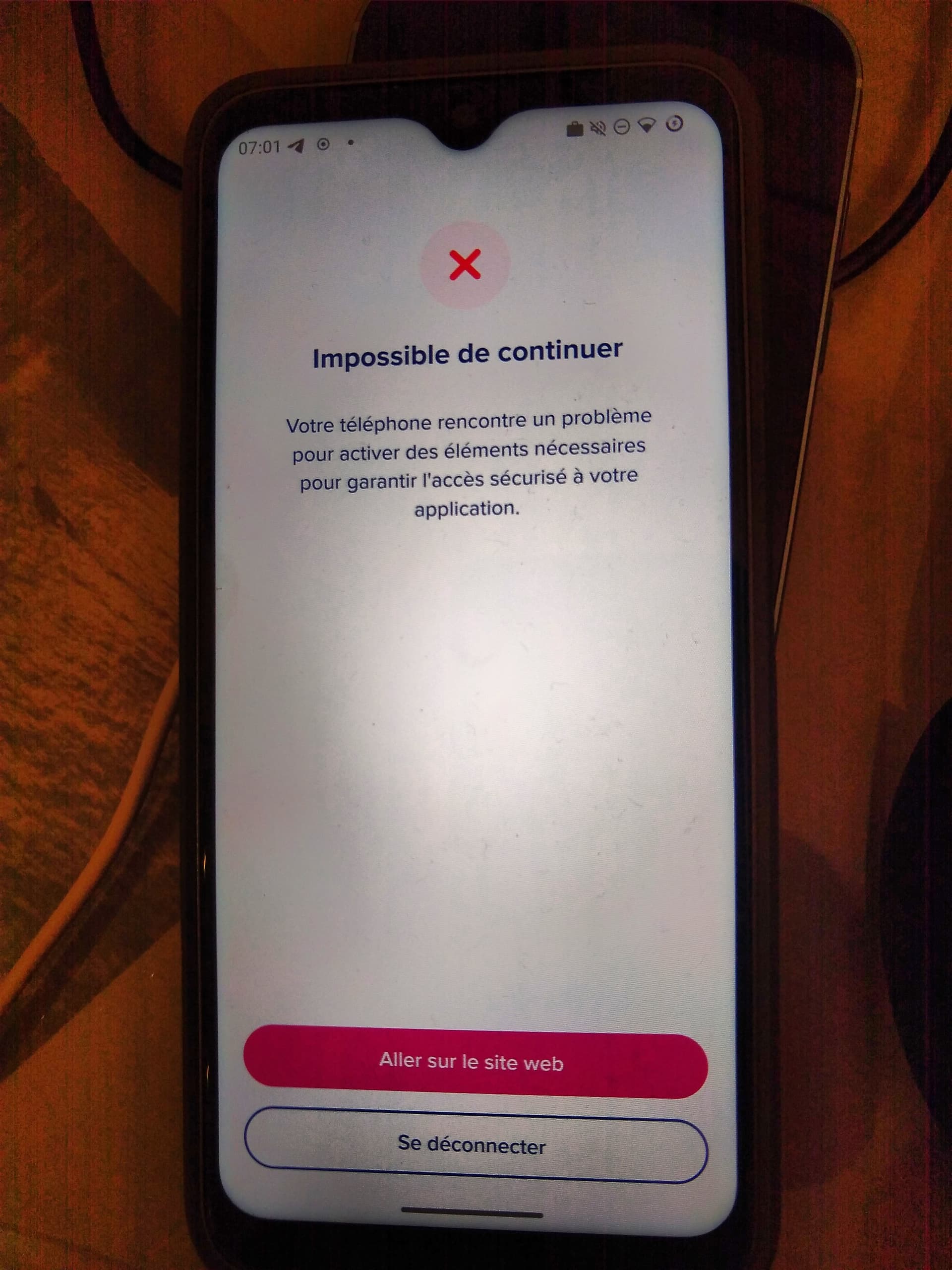
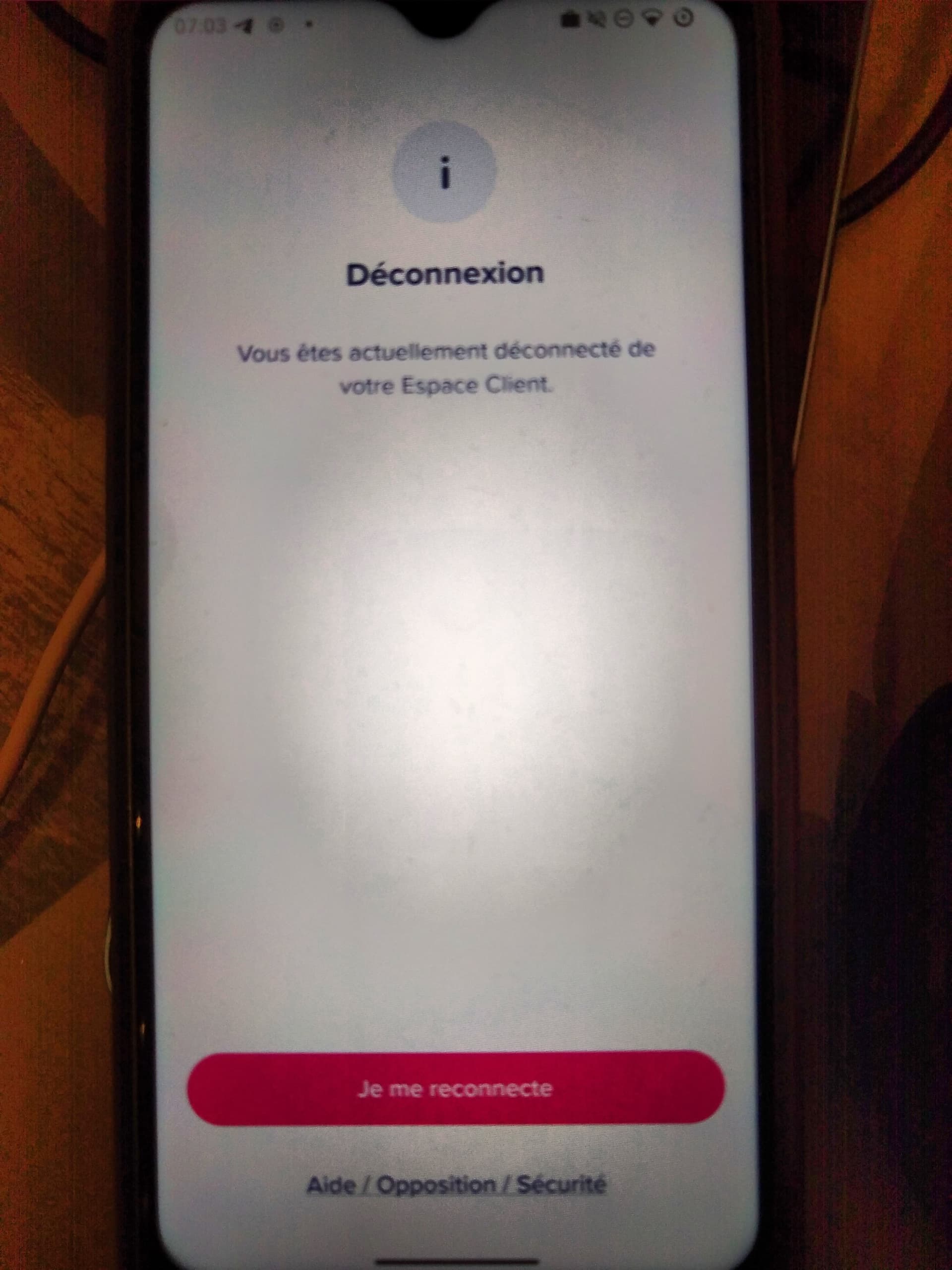
Once you see your account, close the screen with the cross at the top left corner, this will make you come back to the BoursoBank app where you’ll see this screen:
Note: after all this, you can unfreeze microG in your pro-profile: the app will keep working and notifications will work smoothly. [EDIT] it seems that with the latest version of BoursoBank app it’s better to keep microG frozen to avoid a network error message.
Just one thing though, I could not log in while in the webview, I just typed my client id and the next button did nothing. After a while I just closed the webview and had the “Je me reconnecte” in the application and it works!
For those having problems with payment using QR codes in the Twint apps (Switzerland), I have found the solution.
Since last spring, QR codes payments would open an internet window, and then nothing happens… I should point out that Twint is not supposed to open an internet link, but should handle it within the app itself.
The solution is to download “Firefox” and set it as your default browser. This way, links are sent back to the Twint app natively.
This fixes the default /e/OS browser link redirection issues (due to incorrect handling of “intent filters”).
For me, with /e/OS on a fairphone 4, the workaround submitted by @AudeM and which I’ve installed yesterday is working.
Although this morning I had the “Impossible de continuer… Blah blah… Aller sur le site Web…” again.
Closed and launched app again and it worked.
weird.
Anyway, thanks for the workaround but we definitely shouldn’t need one, so I made a complaint.
"Bonjour,
Depuis récemment votre application Android impose les services Google et ne fonctionne plus sous des OS déglooglisés comme /e/OS.
Ceci est parfaitement inadmissible voire illégal.
J’étais sur le point d’ouvrir également un compte particulier et un compte épargne à côté de mon compte business.
Aujourd’hui je pense plutôt fermer ce dernier.
Merci de bien vouloir me dire si vous comptez revenir en arrière.
Dans le cas contrairement j’irais chez la concurrence.
Hi,
I am planning to buy a fairphone 6 with /e/os and I am looking about the apps which could be problematic, like banking apps. It seems that my banks are fine (although with some tweeking for Boursobank), but I didn’t see any information about Boursedirect and alipay ? Did anyone tried their app and see if it is working?
In order for the team to be able to fix this it would be great if you could provide logs: do you think you could create an issue for this in our GitLab and provide logs there?
The team suspects it either comes from:
the Allow forward URL requests to external intents toggle in /e/OS Browser’s “Privacy and security” entry in the settings, at the end of the Privacy section
or the Allow custom tabs intent" toggle in /e/OS Browser's "Privacy and security entry in the settings, in about the middle of the Privacy section
or the JavaScript JIT option in in /e/OS Browser’s “Site settings” entry, in the Cromite content settings section
If you have the time it could be interesting if you could try to toggle off the first one, see whether it solves the issue if not toggle it back on and toggle off the second one, check and if it doesn’t solve the issue either, turn it back on and turn on the third one and see whether it works
I passed it on to my wife (she’s the one who uses this service).
She’ll need to test it when paying for a digital voucher, for example. We’ll see when the opportunity arises.
Little follow-up, BoursoBank basically answered “we don’t care”.
"Nous faisons suite à votre réclamation n°72314928524 du 01/09/2025, relative à votre demande concernant l’utilisation de l’application BoursoBank sans passer par le Google Play Store officiel.
Après vérification, pour des raisons de sécurité, nous ne sommes pas en mesure de pouvoir vous laisser utiliser une autre application téléchargée sur un store non officiel.
Ainsi, nous vous invitons à passer via le Google Play Store officiel afin de télécharger l’application BoursoBank en vu de pouvoir accéder à votre compte bancaire."
Today my Banking App of the Triodos Bank in the Netherlands stopped working. This has been an issue a month ago as well and it was solved with an update of the banking app. Now they tell me they don´t know what the issue is and asked me to wait for upcoming updates. They (helpdesk) have no clue at all what issues are solved with every update of the banking app.
J’ai justement installé la mise à jour 3.1.1 ce matin et je me posais la question.
Dans mon cas, malheureusement, avec un Fairphone 4, j’ai toujours le « Oups ! L’application que vous utilisez n’est pas issue du Grrrrr Play Store… »